
Cursor vs. GitHub Copilot: Which AI Coding Assistant Wins?
Cursor vs GitHub Copilot: We compare Composer multi-file editing, model choice, $20 vs $10 pricing, and codebase indexing using developer benchmark data.
The Quick Verdict
Choosing between the Cursor and the GitHub Copilot comes down to your personal priorities:
Software engineers, startup founders, and technical builders who want full-codebase indexing, autonomous multi-file generation via Composer, and immediate access to frontier models
Developers who want an affordable, plug-and-play extension inside their existing editor (VS Code, JetBrains, Visual Studio, Neovim) backed by enterprise security
Head-to-Head Spec Matrix & Lab Scores
Specifications and published measurements, credited below
| Hardware Feature | 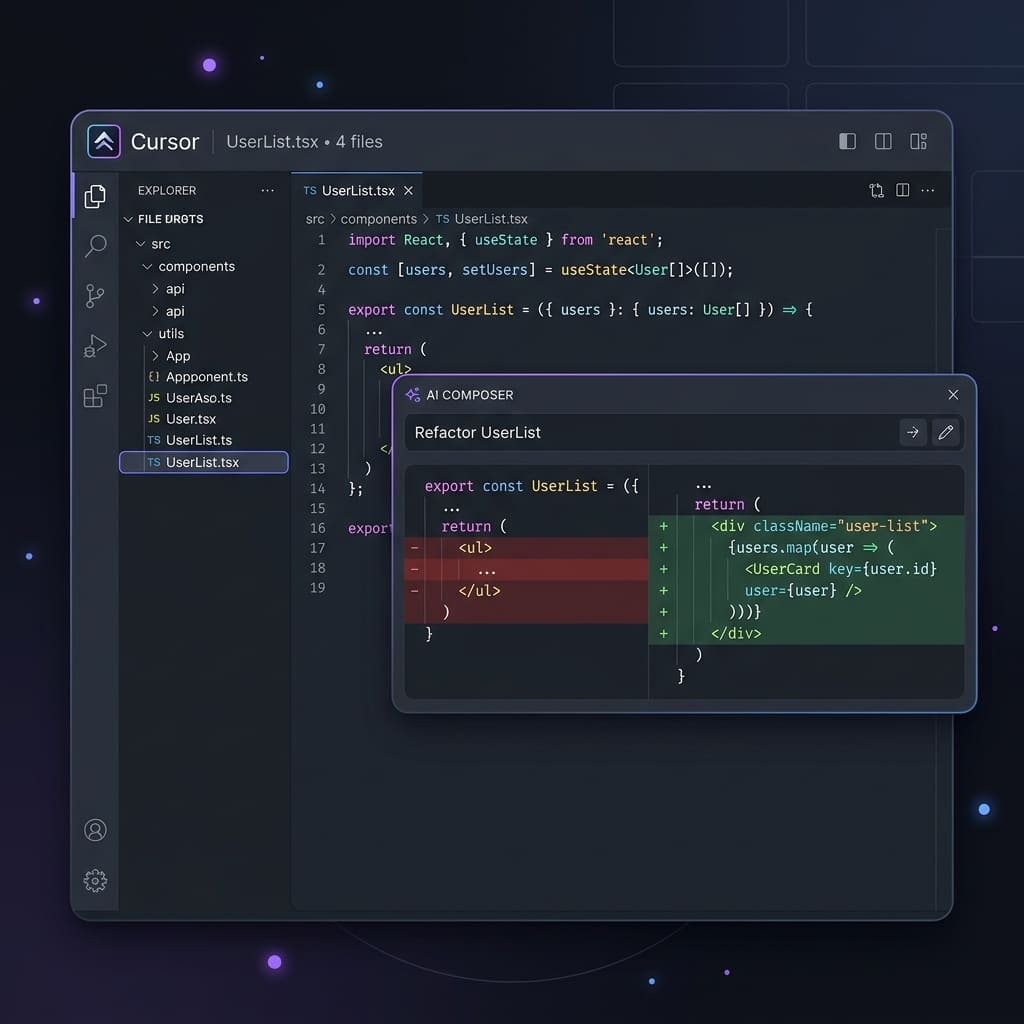 Cursor$20.00/month (Pro tier; Free Hobby tier available) |  GitHub Copilot$10.00/month or $100.00/year (Individual plan) |
|---|---|---|
Architecture & Setup | ||
| Integration Method | Standalone IDE (VS Code Fork) | Universal Editor Extension (VS Code, JetBrains, Neovim) |
Code Generation | ||
| Multi-File Editing & Scaffolding | Cursor Composer (Cmd+I multi-file execution) | Copilot Edits & Copilot Workspace |
Context & Indexing | ||
| Codebase Semantic Awareness | Local vector embeddings with @Codebase querying | Remote GitHub repository indexing |
Model Availability | ||
| Underlying LLM Options | Claude 3.5 Sonnet, GPT-4o, o1-preview, custom models | Claude 3.5 Sonnet, Gemini 1.5 Pro, GPT-4o, o1-preview |
Pricing & Limits | ||
| Individual Entry Cost | $20/month (500 fast requests, then unlimited slow) | $10/month or $100/year (unlimited completions) |
Autocomplete Feel | ||
| Inline Prediction Engine | Cursor Tab (multi-line edits & cursor jumps) | Copilot Ghost Text (single/multi-line suggestions) |
Choose Cursor if you want the most capable AI coding assistant on the market, featuring autonomous multi-file editing via Composer, deep semantic codebase indexing, and predictive cursor jumps for $20 per month. Choose GitHub Copilot if you want an affordable $10-per-month assistant that plugs directly into your existing editor - including JetBrains, Neovim, and VS Code - backed by enterprise IP indemnity.
The software development ecosystem has reached an inflection point. Where first-generation AI coding tools functioned as glorified tab-autocomplete engines, modern developer tools orchestrate entire refactors across complex directory structures. In this arena, two platforms dominate professional discussions: Cursor, the dedicated AI-first editor developed by Anysphere, and GitHub Copilot, the ubiquitous assistant developed by GitHub and Microsoft.
TechSilico breaks down both platforms across codebase indexing, multi-file execution, model routing, pricing tiers, and developer benchmark performance based on published technical specifications, leaderboards, and official platform documentation.
Quick Verdict & Key Findings
| Feature | Cursor (Pro Tier) | GitHub Copilot (Individual) | Winner |
|---|---|---|---|
| Individual Pricing | $20 / month | $10 / month ($100 / year) | GitHub Copilot |
| Form Factor | Standalone IDE (VS Code fork) | Universal IDE extension | GitHub Copilot |
| Multi-File Generation | Cursor Composer (integrated) | Copilot Edits / Workspace | Cursor |
| Codebase Indexing | Local vector embeddings + @Codebase | Cloud repo indexing | Cursor |
| Autocomplete Engine | Cursor Tab (edits + cursor jumps) | Ghost text completions | Cursor |
| Frontier Models | Claude 3.5 Sonnet, GPT-4o, o1 | Claude 3.5 Sonnet, Gemini 1.5 Pro, o1 | Tie |
| IDE Ecosystem | VS Code ecosystem only | VS Code, JetBrains, Visual Studio, Neovim | GitHub Copilot |
| Enterprise Indemnity | Available on Business tier | Comprehensive Microsoft IP protection | GitHub Copilot |
Architecture: Standalone Editor vs. Universal Extension
The fundamental architectural distinction between Cursor and GitHub Copilot dictates how you interact with your code every day.
Cursor: The AI-First Standalone Fork
Cursor is not an extension; it is a standalone fork of Microsoft's open-source VS Code (Code - OSS). When you install Cursor, you launch a dedicated application. Because it controls the entire editor shell, Cursor can rewrite user interface primitives:
- Unified Custom Keybindings: Cursor binds AI workflows into core interaction patterns. Pressing
Cmd+K(orCtrl+K) edits inline code in place with an interactive diff view. PressingCmd+Iopens Composer, an agentic multi-file workspace. - Flawless Extension Parity: Because Cursor is a direct fork of VS Code, moving to Cursor takes approximately two minutes. On first launch, it imports your VS Code extensions, themes, keymaps, settings, and shell configurations with a single click.
- The Drawback: If you do not use VS Code - for instance, if your engineering workflow relies heavily on JetBrains IntelliJ IDEA, PyCharm, WebStorm, or Neovim - Cursor requires completely switching your primary text editor.
GitHub Copilot: The Universal Ecosystem Extension
GitHub Copilot is engineered as a lightweight plugin. It installs as an extension into:
- Microsoft Visual Studio Code
- JetBrains IDEs (IntelliJ, PyCharm, WebStorm, Rider, GoLand)
- Microsoft Visual Studio
- Neovim
For developers and engineering teams whose workflows depend on JetBrains' superior static analysis, database tooling, or native JVM refactoring tools, GitHub Copilot is unobtrusive. You install the extension, authenticate with GitHub, and immediately receive inline completions and chat sidebars without altering your development environment.
Codebase Context and Semantic Indexing
The quality of an AI model's code generation depends almost entirely on the quality of the context provided to it. Feeding an LLM a bare file without knowledge of project interfaces, utility functions, and database schemas results in hallucinated imports and broken function calls.
Cursor's Local Vector Embeddings
Cursor's crowning architectural achievement is its repository indexing pipeline:
- Local Chunking & Embeddings: When you open a repository in Cursor, it automatically indexes your project files, breaking code into logical chunks and generating vector embeddings.
- Semantic @-Symbols: In Cursor Chat or Composer, developers can query context explicitly using specialized symbols:
@Codebase: Prompts Cursor to perform a hybrid vector and keyword search across your entire codebase, pulling in related types and functions before generating an answer.@Filesand@Folders: Explicitly attach specific files or directory trees to the prompt.@Docs: Indexes third-party documentation directly into the editor for accurate API usage.@Git: Analyzes recent commits and pull request diffs.
Because indexing happens continuously, Cursor understands how internal custom libraries and utility classes interact across different folders.
GitHub Copilot's Remote Indexing
GitHub Copilot historically operated on a narrower context window, using "neighboring tabs" heuristics to guess what code was relevant to the current cursor position. In 2024, GitHub introduced remote repository indexing on GitHub.com and workspace context awareness in VS Code.
While Copilot has significantly improved its ability to reference open tabs and workspace files, its semantic awareness remains less immediate than Cursor's. In large microservice repositories or monolithic codebases, Copilot can still struggle to locate deeply nested utility helpers unless you manually open those files in editor tabs.
Multi-File Editing: Cursor Composer vs. Copilot Edits
Autonomous multi-file modification represents the defining capability of modern AI assistants.
Cursor Composer
Invoked via Cmd+I, Cursor Composer operates as a semi-autonomous coding agent within your local filesystem:
- Cross-File Scaffolding: You can prompt Composer: *"Create a new REST endpoint for user notifications, generate the database migration, wire up the Prisma schema, and add the corresponding React query hook."*
- Interactive Unified Diffs: Composer plans the changes, creates the new files, and displays real-time red/green diffs across all modified files simultaneously.
- Selective Acceptance: Developers can review each file diff individually, reject specific lines, or click "Accept All" to commit the changes to the working tree.
For scaffolding features, refactoring component libraries, or migrating APIs, Composer transforms multi-hour manual typing sessions into five-minute supervised code reviews.
GitHub Copilot Edits and Workspace
At GitHub Universe in late 2024, GitHub launched Copilot Edits, bringing multi-file editing capabilities to the Copilot VS Code extension. Copilot Edits allows developers to select multiple working files and prompt the assistant to make synchronized changes across them.
Additionally, GitHub offers Copilot Workspace, a browser-based agentic environment on GitHub.com designed to turn GitHub Issues into Pull Requests by generating specification plans and code modifications.
While Copilot Edits is a massive step forward for GitHub, Cursor Composer still feels faster, more responsive, and more deeply integrated into local terminal and build workflows.
Model Selection and Benchmark Evaluation
For much of 2024, Cursor held a massive competitive advantage by offering Anthropic's Claude 3.5 Sonnet - which swept software engineering evaluations like SWE-bench - while GitHub Copilot remained restricted to OpenAI models.
That dynamic shifted decisively at GitHub Universe 2024. In an official newsroom announcement titled *"Bringing developer choice to Copilot,"* GitHub confirmed:
*"At GitHub Universe, we announced Anthropic's Claude 3.5 Sonnet, Google's Gemini 1.5 Pro, and OpenAI's o1-preview and o1-mini are coming to GitHub Copilot - bringing a new level of choice to every developer."*
Benchmark Landscape
According to independent evaluations published on the SWE-bench Verified leaderboard (which tests AI models on resolving real, complex GitHub pull requests from open-source repositories) and Artificial Analysis:
- Claude 3.5 Sonnet: Remains the gold-standard model for software engineering, exhibiting extraordinary proficiency in multi-step refactoring, understanding subtle edge cases, and generating clean, idiomatic code without hallucinations.
- OpenAI o1-preview / o1-mini: Features advanced chain-of-thought reasoning that excels at difficult algorithmic challenges, mathematical modeling, and competitive programming, though at higher inference latency.
- Gemini 1.5 Pro: Offers a massive two-million-token context window, allowing entire codebases, documentation sets, or video demonstrations to be ingested in a single prompt.
With both Cursor and GitHub Copilot now supporting multi-model routing across Anthropic, OpenAI, and Google, the battle is no longer about which model you have access to - it is about how effectively the editor harnesses that model through context and UX.
Inline Autocomplete: Cursor Tab vs. Copilot Ghost Text
While multi-file chat agents capture headlines, developers spend the majority of their day accepting inline code completions.
- GitHub Copilot Ghost Text: Copilot remains exceptionally fast at generating gray "ghost text" suggestions as you type. It predicts the rest of your current line or auto-completes standard boilerplate functions (like
map,filter, or API handlers). It is reliable, unobtrusive, and muscle-memory friendly. - Cursor Tab: Cursor re-engineered autocomplete into a predictive model called Cursor Tab. Rather than merely completing the line where your cursor sits, Cursor Tab predicts multi-line transformations and anticipated cursor jumps. If you rename a variable on line 12, Cursor Tab will highlight line 18 where that variable is referenced, allowing you to press Tab to jump directly to the next edit location. For repetitive refactoring, it feels distinctly more intelligent.
Pricing, Limits, and Enterprise Compliance
Cost structure and corporate governance represent critical considerations for individual developers and enterprise engineering teams alike.
Pricing Tiers Compared
- GitHub Copilot:
- Individual: $10 / month or $100 / year. Includes unlimited standard code completions and access to Copilot Chat.
- Business: $19 / user / month. Adds centralized policy management, organization-wide controls, and zero-data-retention privacy guarantees.
- Enterprise: $39 / user / month. Adds custom fine-tuned models, GitHub.com knowledge base integration, and Copilot pull request reviews.
- Cursor:
- Hobby: Free. Includes a 14-day trial of Pro features, then 2,000 completions and 50 slow premium requests.
- Pro: $20 / month. Includes unlimited Cursor Tab completions, 500 fast requests per month to premium models (Claude 3.5 Sonnet, GPT-4o), and unlimited slow requests when server capacity allows.
- Business: $40 / user / month. Adds centralized billing, privacy mode enforcement (zero user code retained on servers), and administrator dashboards.
GitHub Copilot is precisely half the cost of Cursor for individual developers, and its annual $100 plan provides an even steeper discount. If budget is your primary constraint, Copilot is the undisputed value winner.
Security and IP Indemnification
For enterprise organizations with strict intellectual property and regulatory requirements, GitHub Copilot holds a clear edge:
- Backed by Microsoft's commercial commitments and copyright indemnification, protecting enterprises against third-party IP infringement claims.
- Integrates seamlessly with existing Azure and GitHub Enterprise single-sign-on (SSO), audit logs, and compliance controls.
- Cursor offers a robust "Privacy Mode" on both Pro and Business tiers (where code is never stored or used to train models), but smaller enterprise legal departments often prefer contracting directly with Microsoft/GitHub.
Verdict: Which AI Assistant Should You Use?
Choose Cursor if:
- You want maximum engineering velocity: Cursor Composer's autonomous multi-file generation and interactive diffing will save you hours of manual boilerplate work every week.
- You want deep codebase semantic awareness: The automatic vector indexing and
@Codebasesearch allow the AI to navigate complex repositories with pinpoint accuracy. - You are already comfortable in VS Code: The one-click migration imports your entire setup, giving you a vastly more intelligent editor with zero friction.
- You want predictive cursor jumps: Cursor Tab's ability to anticipate where you want to edit next makes daily coding feel fluid and futuristic.
Choose GitHub Copilot if:
- You work in JetBrains, Neovim, or Visual Studio: You love your current development environment and refuse to switch to a VS Code-based editor.
- You want the best value: At $10/month (or $100/year), it provides elite multi-model assistance (including Claude 3.5 Sonnet) at half the price of Cursor Pro.
- Enterprise compliance is non-negotiable: Your employer requires Microsoft enterprise contracts, IP indemnification, and direct GitHub.com pull request integrations.
- You only need reliable inline completions: If you prefer writing the structural architecture yourself and only want AI to eliminate typing fatigue, Copilot is all you need.
Frequently Asked Questions
Can I use GitHub Copilot inside Cursor?
Yes. Because Cursor is a fork of VS Code, you can install the official GitHub Copilot extension directly inside Cursor from the extension marketplace. However, running both Cursor's native autocomplete and Copilot simultaneously will cause conflicting ghost text suggestions, so developers generally choose one primary engine.
Does Cursor train AI models on my private code?
No, provided you enable Privacy Mode. On Cursor's Pro and Business plans, users can toggle "Privacy Mode" in settings. When enabled, Cursor explicitly guarantees that none of your code, prompts, or embeddings are ever stored on their servers or used to train foundation models.
Does GitHub Copilot Individual include Claude 3.5 Sonnet?
Yes. Following GitHub's Universe 2024 announcements, GitHub began rolling out multi-model choice - including Anthropic's Claude 3.5 Sonnet, OpenAI o1, and Google Gemini 1.5 Pro - to Copilot Chat across individual and enterprise subscribers.
Can Cursor run completely offline?
No. While Cursor computes embeddings locally and parses file trees on your local machine, the actual inference requests for Claude 3.5 Sonnet, GPT-4o, and Cursor Tab are processed via cloud APIs. You must have an active internet connection to receive AI suggestions.
What happens when I exceed 500 fast requests on Cursor Pro?
Once you exhaust your 500 fast monthly requests, Cursor does not cut off your access. Instead, your requests are moved to a standard "slow" queue, which may experience slight latency during peak global traffic hours. You can also purchase additional fast request bundles or supply your own Anthropic/OpenAI API keys.
Sources & Industry Citations
- GitHub Blog - Bringing developer choice to Copilot
- *Announcement:* Confirmed multi-model architecture integrating Anthropic's Claude 3.5 Sonnet, Google Gemini 1.5 Pro, and OpenAI o1 into Copilot.
- *Quote:* "At GitHub Universe, we announced Anthropic's Claude 3.5 Sonnet, Google's Gemini 1.5 Pro, and OpenAI's o1-preview and o1-mini are coming to GitHub Copilot"
- GitHub Copilot Official Pricing & Plans - GitHub Copilot Features
- *Official spec:* Individual tier at $10/month or $100/year; Business tier at $19/user/month; Enterprise tier at $39/user/month.
- Cursor Official Pricing & Documentation - Cursor Pricing Page
- *Official spec:* Hobby (Free), Pro ($20/month with 500 fast premium requests), Business ($40/user/month with centralized privacy controls).
- Cursor Technical Documentation - Cursor Docs
- *Platform spec:* Detailed architecture for Cursor Composer multi-file editing, @Codebase vector indexing, and Cursor Tab predictive completion.
- SWE-bench Official Leaderboard - SWE-bench Software Engineering Evaluation
- *Evaluator benchmark:* Evaluates autonomous AI model resolution rates across 2,294 real-world GitHub issues.
- Artificial Analysis - AI Model Coding & Performance Leaderboard
- *Independent evaluation:* Benchmarks inference speed, pricing, throughput, and coding benchmarks for Claude 3.5 Sonnet, GPT-4o, and Gemini models.
*TechSilico does not test hardware and every measurement is credited to the outlet that produced it.*
Independent Testing Lab Benchmarks & Measurements
Benchmark measurements and evaluations cross-referenced from named independent testing laboratories:
At GitHub Universe, we announced Anthropic's Claude 3.5 Sonnet, Google's Gemini 1.5 Pro, and OpenAI's o1-preview and o1-mini are coming to GitHub Copilot
Individual tier at $10/month or $100/year; Business tier at $19/user/month; Enterprise tier at $39/user/month.
Hobby (Free), Pro ($20/month with 500 fast premium requests), Business ($40/user/month with centralized privacy controls).
Detailed architecture for Cursor Composer multi-file editing, @Codebase vector indexing, and Cursor Tab predictive completion.
Evaluates autonomous AI model resolution rates across 2,294 real-world GitHub issues.
Benchmarks inference speed, pricing, throughput, and coding benchmarks for Claude 3.5 Sonnet, GPT-4o, and Gemini models.
Pros & Cons Consensus
Cursor
- Composer feature allows autonomous multi-file refactoring and feature scaffolding across your entire directory tree
- Deep semantic codebase indexing creates local vector embeddings of your entire repository for pinpoint context retrieval
- Offers instant switching between frontier models including Claude 3.5 Sonnet, GPT-4o, and specialized reasoning models
- Cursor Tab predictive autocomplete anticipates multi-line edits and cursor jumps ahead of the developer
- Direct fork of VS Code allows seamless one-click migration of all extensions, keybindings, and themes
- Requires replacing your existing IDE with Cursor's dedicated VS Code fork rather than running as a lightweight plugin
- At $20/month for Pro, it is twice the price of GitHub Copilot Individual ($10/month)
- Includes a monthly cap of 500 fast premium requests before moving to queued slow requests
GitHub Copilot
- Universal plugin compatibility: runs seamlessly inside VS Code, Visual Studio, JetBrains IDEs, and Neovim
- More affordable at $10/month or $100/year for unlimited standard inline code completions
- Multi-model choice announced at GitHub Universe 2024, rolling out Claude 3.5 Sonnet, Gemini 1.5 Pro, and OpenAI o1 models
- Direct integration with GitHub.com for pull request summaries, commit messages, and automated code review
- Robust enterprise compliance, zero-data-retention guarantees, and IP indemnification protections
- Multi-file editing capabilities via Copilot Workspace remain more constrained than Cursor Composer's fluid local execution
- Repository-wide context retrieval is less comprehensive and slower than Cursor's pre-computed local embeddings
- Advanced features are fragmented across different UI surfaces (inline suggestions, Copilot Chat, GitHub.com)
Cursor
Cursor Takes the Engineering Crown with Composer, but Copilot Remains the $10 Enterprise Workhorse
Cursor earns the overall victory for individual developers and fast-moving teams who want maximum coding velocity. Its local vector embeddings and multi-file Composer agent fundamentally change how software is built, automating tedious scaffolding and refactoring. However, if you rely on JetBrains IDEs, operate under strict enterprise IP compliance, or want to keep costs at $10/month, GitHub Copilot remains an exceptional, multi-model coding assistant.
Choose Cursor If:
- You want maximum engineering velocity: Cursor Composer autonomously edits multiple files and scaffolding with interactive diffs
- You want deep codebase indexing: Automatic local vector embeddings and @Codebase semantic search
- You are comfortable in VS Code: One-click migration imports your extensions, keybindings, and themes seamlessly
- You want predictive navigation: Cursor Tab anticipates multi-line edits and where your cursor wants to jump next
Choose GitHub Copilot If:
- You use JetBrains, Neovim, or Visual Studio: Retain your preferred IDE without switching to a VS Code fork
- You want the best value: At $10/month or $100/year, Copilot provides top-tier model access at half the cost
- Enterprise IP indemnification is mandatory: Microsoft commercial commitments and strict corporate compliance
- You want direct GitHub.com PR integration: Automated PR summaries and code review workflows