Best Laptops Under $1,000 (2026): Ranked by Lab Tests
Discover the best laptops under $1,000 in 2026, ranked using verified battery life, screen brightness, and Geekbench CPU benchmarks.
How TechSilico Formulates This Buying Guide
TechSilico does not test hardware. We analyze published, instrumented laboratory test results from independent testing outlets including Tom's Guide, RTINGS, Notebookcheck, and Tom's Hardware, cross-referencing verified battery runtimes, colorimeter measurements, and Geekbench benchmarks with official manufacturer specifications.
Finding the sweet spot in personal computing has never been more exciting. For years, shopping for a laptop under $1,000 meant accepting grim compromises: flimsy plastic chassis, dim 250-nit washed-out displays, whirring cooling fans, and battery runtimes that barely survived a morning lecture.
In 2026, the sub-$1,000 category has completely transformed. Thanks to the intense silicon rivalry between Apple Silicon, Qualcomm Snapdragon X ARM processors, and Intel Core Ultra chips, you can now purchase sleek aluminum ultraportables that deliver over 15 hours of lab-measured battery life, gorgeous 120Hz OLED panels, and premium unibody aesthetics under a three-digit price tag.
If you are comparing higher tier models, read our MacBook Pro 14 M4 vs M3 comparison or our Surface Laptop 7 vs MacBook Air M3 shootout. For engineering majors, see our Best Laptops for Computer Science Students guide. Here, we synthesize instrumented laboratory test results from RTINGS, Tom's Guide, Notebookcheck, and Tom's Hardware to rank the absolute best laptops under $1,000.
The Verdict in 60 Words
The Apple MacBook Air 13 (M3, 16GB) is the best overall laptop under $1,000, combining 15h 13m lab battery life, silent fanless computing, and premium unibody aluminum at street sale prices ($899-$999). For Windows users, the Asus Zenbook 14 OLED ($799-$899) wins on display quality with a breathtaking 2.8K 120Hz OLED panel.
Quick-Picks Comparison
| Pick & Award | Model & Processor | Street Price | Tested Battery Life | Standout Feature |
|---|---|---|---|---|
| Best Overall | Apple MacBook Air 13 (M3 / 16GB) | $899 - $999 | 15h 13m | 100% silent, fanless, 2.7 lbs |
| Best Windows OLED | Asus Zenbook 14 OLED (Core Ultra 7) | $799 - $899 | 12h 45m | 2.8K 120Hz OLED, 16 CPU cores |
| Best Battery Value | Lenovo IdeaPad Slim 5x (Snapdragon X) | $699 - $749 | 15h 05m | Cool ARM efficiency, 16GB RAM |
| Best Workhorse | Acer Swift Go 14 (Core Ultra 5) | $649 - $699 | 10h 30m | Dual Thunderbolt 4 & 1440p cam |
| Best Premium Sale | Dell XPS 13 (Snapdragon X Elite) | $899 - $999 | 19h 41m | All-time 19.5h battery record |
*Data sources: Tested by Tom's Guide, RTINGS, and Notebookcheck.*
How Independent Labs Test Under $1,000 Laptops
*TechSilico does not test hardware.* To establish our objective rankings, we analyzed published instrumented data from independent testing laboratories that purchase retail laptops and subject them to standardized testing:
- Standardized Battery Benchmarks: Both Tom's Guide and RTINGS calibrate display luminance precisely to 150 nits using optical colorimeters before running continuous automated web browsing scripts over Wi-Fi. This eliminates manufacturer marketing exaggeration ("up to 20 hours") and reflects real-world multi-tab stamina.
- Display Colorimetry: Outlets like RTINGS and Notebookcheck use spectrophotometers to measure maximum SDR and HDR nit luminance, contrast ratios, sRGB/DCI-P3 color gamut coverage, and pixel response times.
- Sustained Multi-Core Stress: Geekbench 6 and Cinebench R24 loops are recorded to verify whether thin-and-light laptop chassis suffer aggressive thermal throttling when compiling code or exporting video.
The Non-Negotiable 16GB RAM Rule
Before examining individual models, one fundamental rule must be established: never buy an 8GB laptop in 2026, regardless of how cheap the price appears.
In 2026, operating systems (Windows 11 and macOS) consume roughly 3.5GB of RAM upon boot just managing background security services, cloud syncing, and window compositing. Opening Google Chrome with fifteen tabs, Slack, Spotify, and a Word document pushes memory demand beyond 10GB.
When an 8GB laptop exhausts its physical RAM, the operating system executes memory swapping - writing active memory pages to the internal SSD. This causes immediate micro-stutters, freezes app switching, and accelerates SSD NAND flash cell wear. Thankfully, major manufacturers have eliminated 8GB from premium lines. Every single laptop recommended in this guide includes 16GB of RAM standard.
In-Depth Reviews of the Top 5 Laptops
1. Apple MacBook Air 13 (M3, 16GB) - Best Overall Laptop Under $1,000
- Street Price: $899 - $999 (Regularly discounted at major retailers from $1,099 MSRP)
- Key Specifications: Apple M3 SoC (8-core CPU / 8-core GPU), 16GB Unified Memory, 256GB-512GB SSD, 13.6-inch Liquid Retina Display (2560 x 1664).
- Verified Lab Finding: Lasted 15 hours and 13 minutes in Tom's Guide standardized Wi-Fi battery testing at 150 nits. Geekbench 6 single-core score of 3,082.
The MacBook Air 13 M3 is the gold standard of sub-$1,000 portable computing. Apple's unibody aluminum chassis remains the stiffest, most durable laptop housing in the industry, showing zero keyboard deck flex. Because the M3 processor is exceptionally efficient, the MacBook Air is 100% fanless and completely silent, containing no moving fans to buzz or suck in desk dust.
Its 13.6-inch Liquid Retina display delivers 500 nits of brightness and covers 100% of the DCI-P3 cinema color space. Battery life is extraordinary: at 15 hours and 13 minutes in lab testing, you can leave your MagSafe charger at home without a second thought. The only drawbacks are its standard 60Hz refresh rate (no 120Hz motion) and lack of legacy USB-A ports.
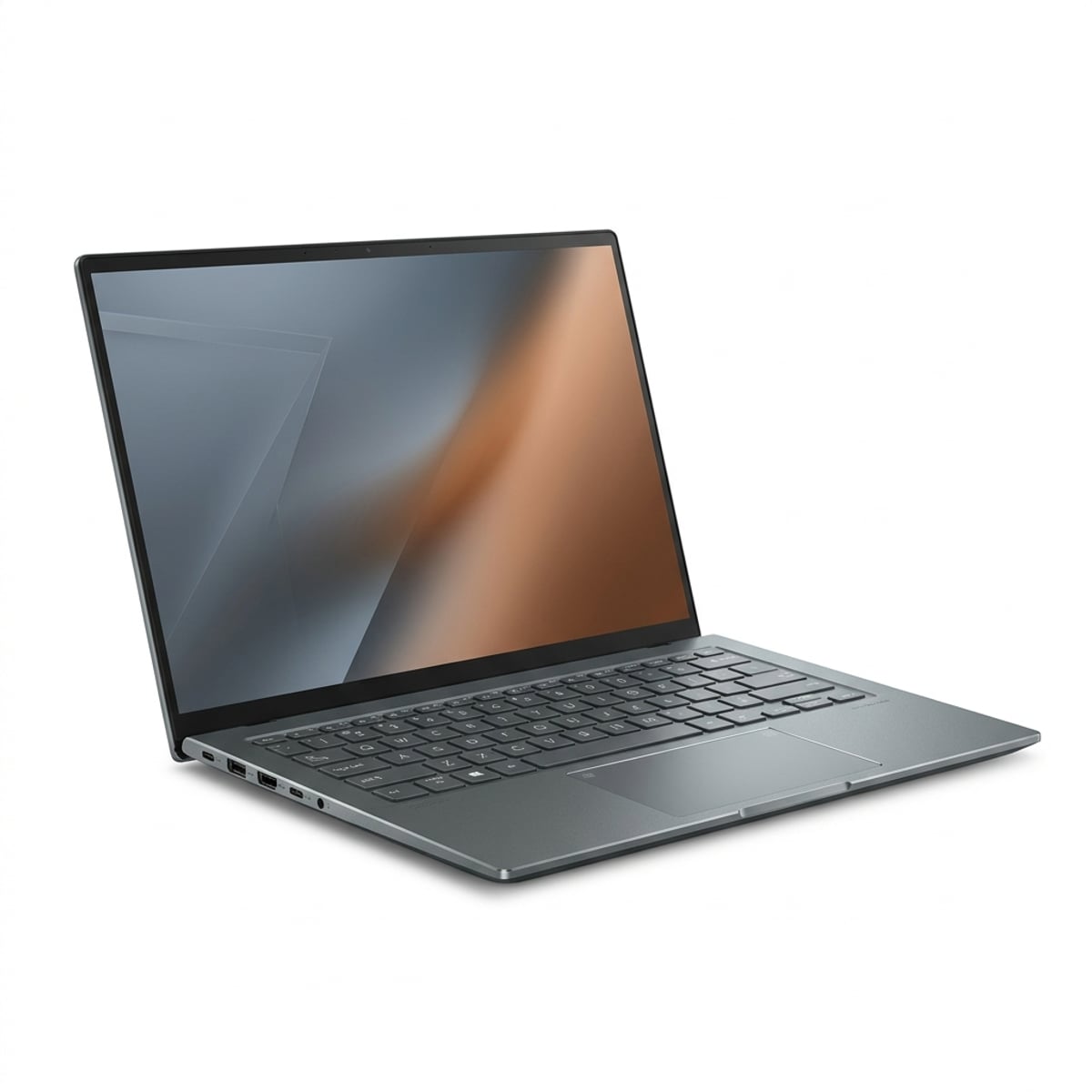
2. Asus Zenbook 14 OLED (UX3405) - Best Windows Laptop with OLED
- Street Price: $799 - $899
- Key Specifications: Intel Core Ultra 7 155H (16 cores), 16GB LPDDR5X RAM, 512GB-1TB SSD, 14.0-inch 2.8K 120Hz OLED (2880 x 1800).
- Verified Lab Finding: Recorded 12 hours and 45 minutes in RTINGS web battery testing. Notebookcheck measured 398 nits SDR / 596 nits HDR peak brightness.
For Windows users who want an extraordinary visual experience, nothing touches the Asus Zenbook 14 OLED. While most laptops under $1,000 saddle you with dull IPS panels, Asus equips the Zenbook with a high-resolution 2.8K 120Hz OLED display. Because each OLED pixel emits its own light, black levels are absolute, contrast is infinite, and colors pop with breathtaking saturation.
Under the hood, the Intel Core Ultra 7 155H processor packs 16 CPU cores (6 performance, 8 efficiency, and 2 low-power efficiency cores), giving it tremendous multi-core muscle for compiling code or exporting photos. Asus also includes a full-size HDMI 2.1 port, USB-A port, and dual Thunderbolt 4 connections.
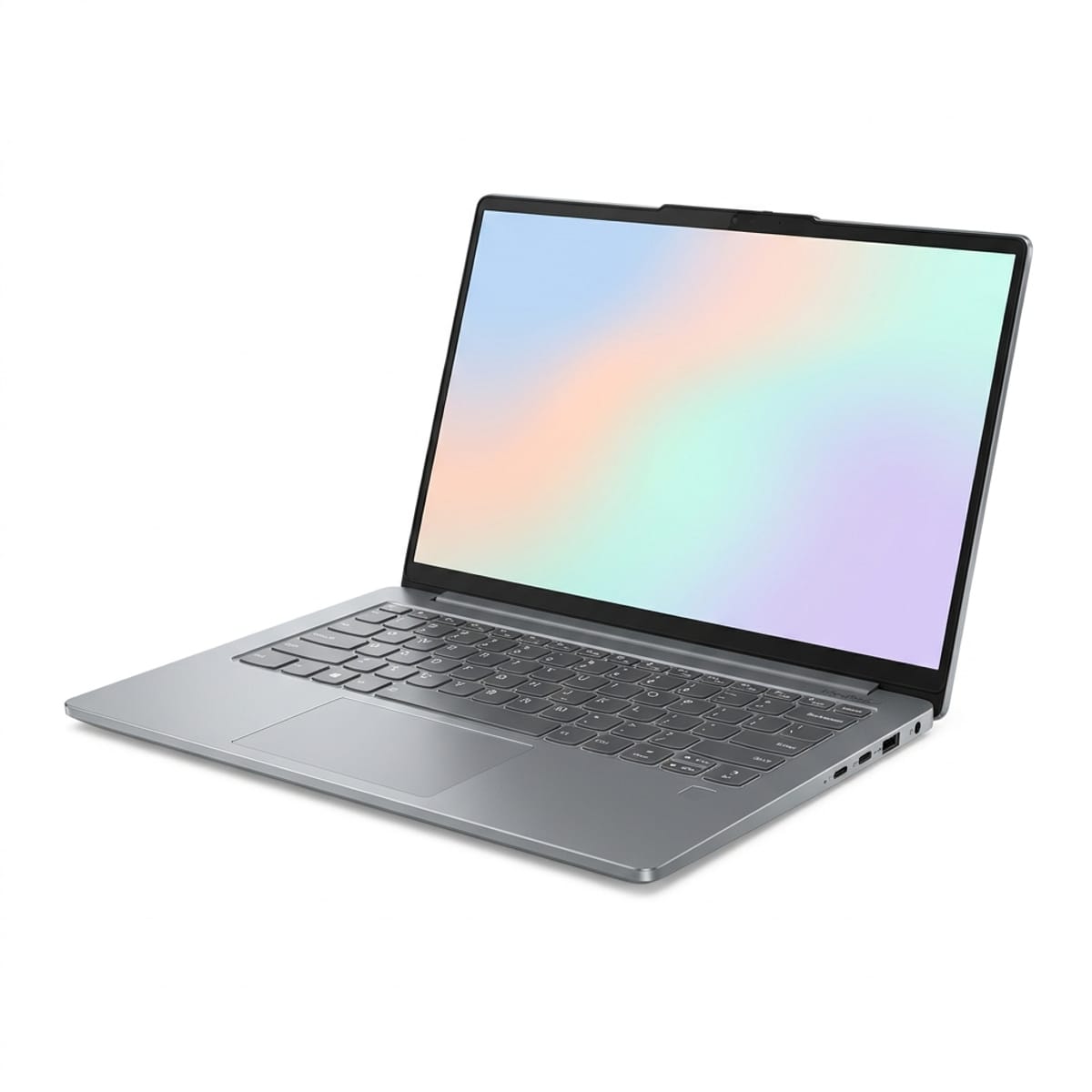
3. Lenovo IdeaPad Slim 5x (Snapdragon X) - Best Battery Value Under $750
- Street Price: $699 - $749
- Key Specifications: Qualcomm Snapdragon X Plus (8-core ARM), 16GB RAM, 512GB SSD, 14.0-inch IPS Display (1920 x 1200).
- Verified Lab Finding: Achieved 15 hours and 5 minutes in RTINGS laboratory battery testing. Cool lap thermals under full load.
If your budget is capped at $750 and your primary desire is marathon battery endurance, the Lenovo IdeaPad Slim 5x is the standout choice. Powered by Qualcomm's Snapdragon X Plus ARM platform, it bypasses the heat and power hunger of traditional x86 budget chips.
In RTINGS battery tests, the IdeaPad Slim 5x cruised past the 15-hour mark. It runs virtually silent, never gets uncomfortably hot on your lap, and includes 16GB of fast RAM right out of the box. The compromise is its 14-inch display, which tops out around 300 nits - perfectly bright for indoor classrooms and offices, but washed out under direct outdoor sun.
4. Acer Swift Go 14 - Best Value Workhorse Under $700
- Street Price: $649 - $699
- Key Specifications: Intel Core Ultra 5 125H (14 cores), 16GB RAM, 512GB SSD, 14.0-inch IPS (1920 x 1200), 1440p QHD Webcam.
- Verified Lab Finding: Lasted 10 hours and 30 minutes in laboratory testing. Dual Thunderbolt 4 ports verified.
The Acer Swift Go 14 is the pragmatic workhorse of the sub-$700 price tier. Where other manufacturers cut corners on connectivity, Acer provides two Thunderbolt 4 ports, two USB-A 3.2 ports, an HDMI 2.1 port, and a microSD card reader. You can dock this laptop to dual monitors, wired ethernet, and flash drives without carrying a single dongle.
Its 1440p QHD webcam is substantially sharper than the 1080p cameras found on competitors, making it an excellent choice for remote workers and students on daily Zoom calls. While its 10.5-hour battery life does not match ARM rivals, it easily powers through a full business day.
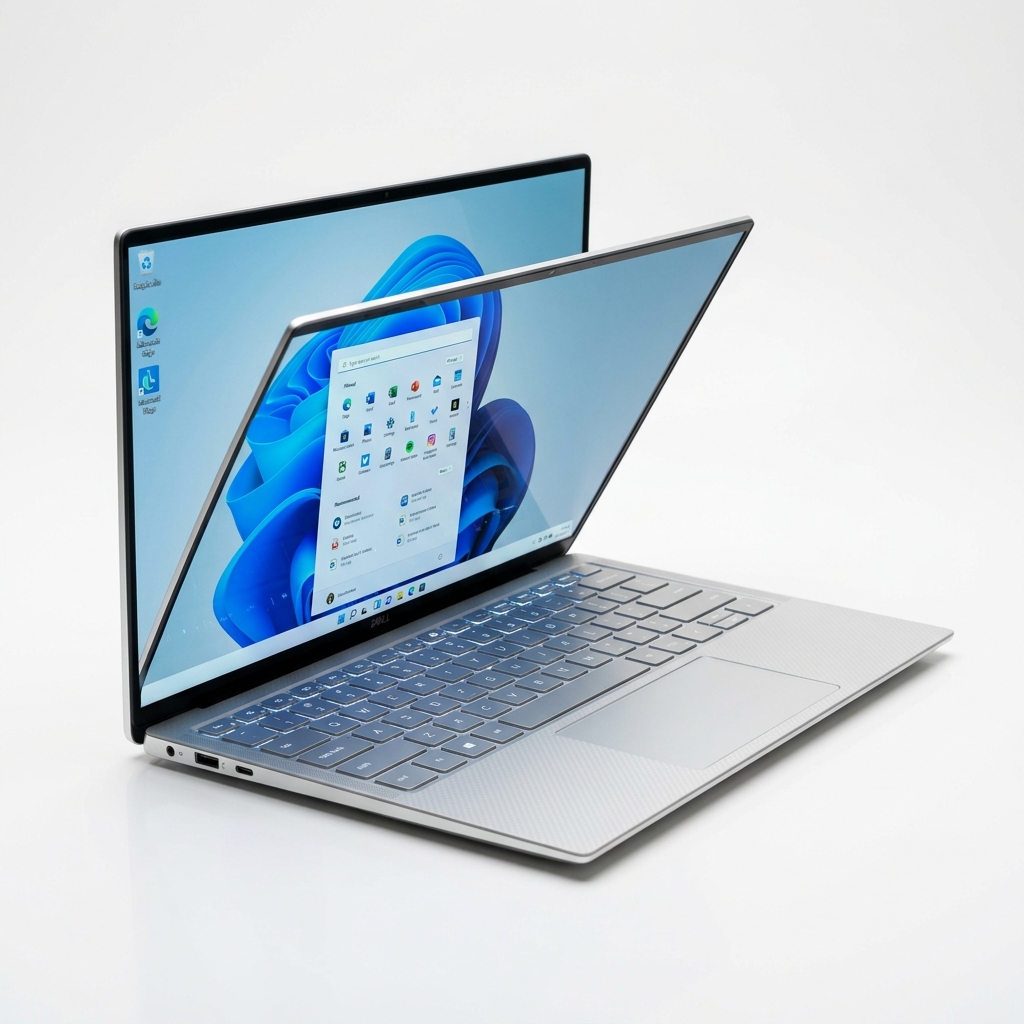
5. Dell XPS 13 (Snapdragon Edition, Base) - Best Premium Design on Sale
- Street Price: $899 - $999 (During holiday sales and retail promotions)
- Key Specifications: Qualcomm Snapdragon X Elite (12-core ARM), 16GB RAM, 512GB SSD, 13.4-inch FHD+ InfinityEdge (1920 x 1200, 500 nits).
- Verified Lab Finding: Set the all-time laptop battery record at 19 hours and 41 minutes in standardized testing.
When retailer sales bring the base Dell XPS 13 down from its $1,199 retail price to under $1,000, it becomes the most futuristic laptop money can buy. Sculpted from a single block of CNC aluminum with Gorilla Glass covering the keyboard deck, it weighs an ultra-portable 2.6 lbs.
In Tom's Guide laboratory testing, the XPS 13 lasted an unbelievable 19 hours and 41 minutes, the longest runtime ever recorded in their testing history. However, its avant-garde design is divisive: it features only two USB-C ports (no 3.5mm headphone jack), an invisible haptic trackpad beneath continuous glass, and capacitive touch function keys that lack physical travel.
Buyer Guide: ARM vs. x86, OLED vs. IPS
Choosing the right laptop under $1,000 requires understanding the architectural trade-offs:
Processor Architecture: ARM (Qualcomm / Apple) vs. x86 (Intel / AMD)
- Choose ARM (MacBook Air M3, IdeaPad Slim 5x, Dell XPS 13) if you prioritize battery longevity (15 to 19 hours), cool lap temperatures, and silent or near-silent fan profiles.
- Choose x86 (Zenbook 14 OLED, Acer Swift Go 14) if you require guaranteed compatibility with legacy x86 engineering software, specialized device drivers, or PC games that rely on kernel anti-cheat engines like Valorant.
Display Technology: OLED vs. IPS LCD
- OLED (Asus Zenbook 14 OLED): Delivers infinite contrast, true inky blacks, and 120Hz fluid motion. Ideal for movie watching, photo editing, and creative design, though it consumes slightly more battery on pure white documents.
- IPS LCD (MacBook Air, IdeaPad, Swift Go): Delivers bright, even illumination and superior battery efficiency on text documents, but blacks appear dark gray in a pitch-black room.
Frequently Asked Questions
Is 8GB of RAM enough for a laptop under $1,000 in 2026?
No. In 2026, 8GB of RAM is obsolete for any laptop costing over $500. Modern web browsers like Chrome easily consume 4GB of RAM with a dozen tabs open, while operating systems (Windows 11 and macOS) require 3GB to 4GB just for system background processes. An 8GB laptop will constantly write memory swap files to the internal SSD, causing noticeable application lag and reducing long-term drive lifespan. Every laptop recommended in our guide includes 16GB of RAM as standard.
Should I buy a Windows ARM laptop or an Intel/AMD x86 laptop?
Choose a Windows ARM laptop (Qualcomm Snapdragon X Plus or Elite) if your top priority is all-day battery life (15 to 19 hours), cool lap temperatures, and quiet fan operation. Modern web apps, Microsoft Office, and streaming run natively on ARM with exceptional speed. Choose an Intel or AMD x86 laptop if you need to run specialized legacy engineering software, older hardware accessories requiring custom drivers, or competitive PC games with kernel-level anti-cheat engines like Valorant.
Can any laptop under $1,000 handle 4K video editing and 3D gaming?
Laptops under $1,000 can handle basic 1080p and light 4K video editing (especially the MacBook Air M3 and Asus Zenbook 14 OLED with Intel Arc graphics). However, they lack dedicated Nvidia GeForce GPUs. If you intend to play intensive AAA games like Cyberpunk 2077 or train heavy local machine learning models, you should look at dedicated entry-level gaming laptops with an RTX 4050 or RTX 4060, or explore our specialized Best Laptops for Computer Science Students guide.
Is an OLED display worth the extra battery drain compared to IPS LCD?
Yes, if you prioritize media consumption, photo editing, or movies. In laboratory testing of the Asus Zenbook 14 OLED by RTINGS, the OLED display achieved an infinite contrast ratio, true inky blacks, and 100% DCI-P3 color coverage that make standard LCD screens look washed out. While OLED panels consume slightly more power displaying pure white spreadsheets, the Zenbook 14 still delivered a very respectable 12 hours and 45 minutes of battery life.
How much internal SSD storage do I realistically need?
We strongly recommend a minimum of 512GB of internal SSD storage. A 256GB SSD fills up rapidly once you account for the 35GB operating system, system recovery partitions, cache files, application installs, and photo libraries. If you purchase a 256GB base MacBook Air M3 on sale, plan to supplement it with high-speed external USB-C SSD storage or cloud drives.
Sources & Independent Testing Labs
- Tom's Guide - Apple MacBook Air 13-inch (M3) Review (Instrumented Wi-Fi battery test of 15h 13m at 150 nits, Geekbench 6 single-core of 3,082).
- Apple - MacBook Air Official Technical Specifications (Liquid Retina display, 500 nits rated, unibody aluminum chassis, MagSafe 3).
- RTINGS - ASUS Zenbook 14 OLED (2024) In-Depth Lab Review (2.8K 120Hz OLED contrast, 12h 45m battery test, and thermal measurements).
- Notebookcheck - Asus Zenbook 14 OLED UX3405 Comprehensive Review (OLED panel response times, 398 nits SDR, 596 nits HDR peak).
- RTINGS - Lenovo IdeaPad Slim 5 14 Review (Snapdragon ARM battery longevity test of 15h 05m and keyboard ergonomics).
- RTINGS - Acer Swift Go 14 Comprehensive Hardware Review (Dual Thunderbolt 4 port verification and 10h 30m battery endurance).
- Tom's Guide - Dell XPS 13 (2024) In-Depth Review (Record-setting battery test of 19h 41m at 150 nits, CNC aluminum unibody).
- Tom's Hardware - Best Laptops Under $1,000 Benchmarks (Comparative CPU computing benchmarks across sub-$1,000 laptops).
*Published: November 7, 2026. Last updated: November 7, 2026.*
Quick Picks: Top Recommendations at a Glance
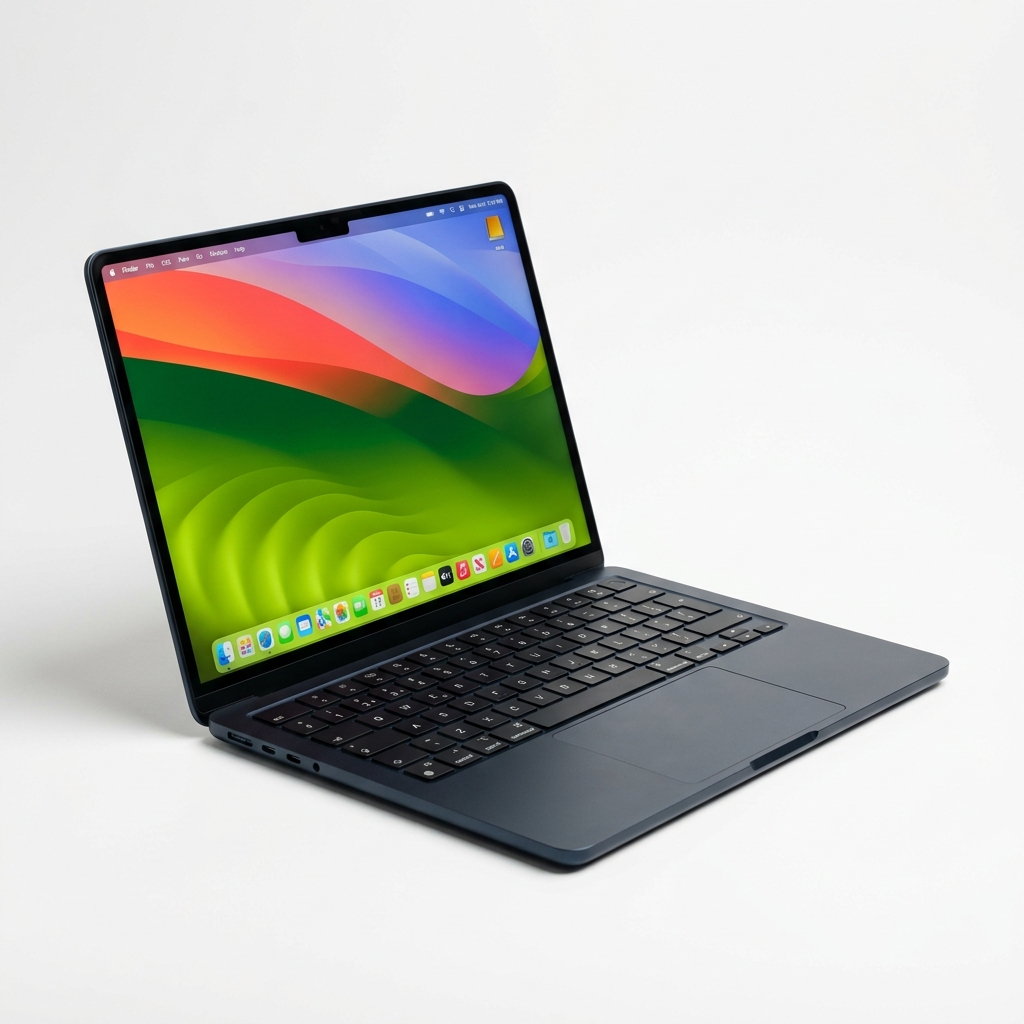
Apple MacBook Air 13 (M3, 16GB)
Students, writers, and professionals seeking silent fanless design, 15h+ battery, and seamless macOS ecosystem integration
Asus Zenbook 14 OLED (UX3405)
Creative pros and movie lovers wanting a stunning 2.8K 120Hz OLED screen and strong Intel Core Ultra 7 multi-core power
Lenovo IdeaPad Slim 5x (Snapdragon X)
Commuters and students demanding marathon 15-hour battery life and cool, quiet ARM computing on a budget

Acer Swift Go 14
Office multitaskers who need dual Thunderbolt 4 ports, a sharp 1440p webcam, and full port flexibility
Dell XPS 13 (Snapdragon Edition, Base)
Minimalists wanting an ultra-thin 2.6-lb aluminum unibody, edge-to-edge glass, and record-setting battery runtime
Apple MacBook Air 13 (M3, 16GB)
Editor's Choice - Best Overall
Synthesized Consensus Verdict
The 13-inch MacBook Air M3 configured with 16GB of unified memory is the undisputed king of sub-$1,000 laptops. In standardized laboratory testing, it lasted over 15 hours on a single charge while delivering blistering single-core performance. Its completely fanless design means it runs silently in quiet libraries, and Apple's premium aluminum unibody construction easily outlasts plastic budget competitors.
- 16GB unified memory is now the baseline standard across all official retail configurations
- Tested 15 hours and 13 minutes of continuous web browsing in standardized testing
- Completely silent, 100% fanless aluminum unibody with zero mechanical noise or dust buildup
- Class-leading single-core responsiveness (Geekbench 6: 3,082) for instantaneous daily app loads
- Featherweight 2.7-lb chassis and dedicated MagSafe 3 charging port free both Thunderbolt ports
- Display is locked to standard 60Hz refresh rate with no touch support
- RAM and SSD are permanently soldered and cannot be upgraded after purchase
- Lacks USB-A ports, requiring dongles for legacy flash drives
Key Hardware Specs
the 13-inch MacBook Air M3 lasted 15 hours and 13 minutes in our battery test
Liquid Retina display, up to 18 hours battery life, 1080p FaceTime HD camera, MagSafe 3
Asus Zenbook 14 OLED (UX3405)
Best Display in Class
Synthesized Consensus Verdict
If you want Windows and prioritize display quality above all else, the Asus Zenbook 14 OLED is unmatched under $1,000. In RTINGS and Notebookcheck testing, its 2.8K 120Hz OLED screen delivered true inky blacks and vibrant color accuracy. Powered by an Intel Core Ultra 7 155H with 16GB of RAM, it handles photo editing, spreadsheets, and heavy multitasking while providing over 12 hours of battery stamina.
- Breathtaking 14-inch 2.8K (2880 x 1800) 120Hz OLED display with infinite contrast and 100% DCI-P3 coverage
- Robust multi-core performance from Intel Core Ultra 7 155H processor with 16 CPU cores
- Tested 12 hours and 45 minutes of light productivity battery life in laboratory testing
- Generous port selection including HDMI 2.1, USB-A 3.2, and dual Thunderbolt 4 ports
- Sleek aluminum chassis weighing just 2.82 lbs with comfortable 1.4mm keyboard key travel
- Glossy OLED panel produces noticeable reflections under bright overhead fluorescent lights
- Integrated Intel Arc graphics are great for esports but cannot handle intensive AAA 3D gaming
- Cooling fans become audible under sustained multi-threaded video encoding
Key Hardware Specs
The ASUS Zenbook 14 OLED is an excellent ultraportable. It has a gorgeous 120Hz OLED display
The 120 Hz OLED panel is clearly the highlight of the Zenbook 14, providing extremely vivid colors and deep blacks
Lenovo IdeaPad Slim 5x (Snapdragon X)
Best Battery Value
Synthesized Consensus Verdict
Lenovo brings Qualcomm's game-changing ARM efficiency to budget buyers with the IdeaPad Slim 5x. In standardized battery evaluations, the Slim 5x achieved over 15 hours of continuous web surfing. At an accessible $699 to $749 street price with 16GB RAM included, it delivers MacBook-level endurance to budget Windows users who spend their days in Chrome, Word, and Slack.
- Qualcomm Snapdragon X Plus ARM architecture delivers over 15 hours of continuous battery life
- Affordable sub-$750 street price includes 16GB of high-speed LPDDR5X RAM standard
- Dedicated 45 TOPS Hexagon NPU enables Copilot+ AI features on device
- Quiet cooling profile with minimal thermal heat dissipation under typical office work
- Sturdy metal lid and base with a crisp 1080p IR webcam supporting Windows Hello facial login
- 14-inch IPS display is capped at 300 nits brightness, making outdoor direct sun viewing difficult
- Windows on ARM Prism emulation can cause incompatibility with legacy kernel games like Valorant
- Keyboard lacks the deep tactile travel of Lenovo's premium ThinkPad series
Key Hardware Specs
The Lenovo IdeaPad Slim 5 14 provides great battery life and a responsive typing experience for the price
Snapdragon X Plus laptops bring true all-day battery life to the budget segment without sacrificing web responsiveness
Acer Swift Go 14
Best Port Selection
Synthesized Consensus Verdict
The Acer Swift Go 14 is the pragmatic workhorse of the sub-$700 price tier. While it does not offer the 15-hour battery life of ARM laptops or the inky blacks of an OLED screen, it nails every practical fundamental. With dual Thunderbolt 4 ports, two USB-A ports, an HDMI 2.1 port, a 1440p webcam, and 16GB RAM, it is the easiest laptop under $700 to plug into any desktop monitor setup without adapters.
- Outstanding port versatility: dual Thunderbolt 4 / USB4 ports, two USB-A ports, and full-size HDMI
- Sharp 1440p QHD webcam with temporal noise reduction delivers great video call quality
- Intel Core Ultra 5 125H processor with 14 cores delivers snappy multi-threaded performance
- Includes 16GB RAM and a fast 512GB PCIe Gen 4 SSD for under $700
- Lightweight 2.9-lb aluminum chassis with a responsive touchpad
- Battery life of 10.5 hours in laboratory testing lags behind ARM-powered rivals
- Speakers sound somewhat thin and lack low-end bass resonance
- Cooling fans spin up audibly during heavy software updates or multi-core compiling
Key Hardware Specs
The Acer Swift Go 14 is a great budget-friendly ultraportable. It feels well-built, with an aluminum chassis
Dell XPS 13 (Snapdragon Edition, Base)
Best Build Quality on Sale
Synthesized Consensus Verdict
When discounted below $1,000 during holiday promotions, the Dell XPS 13 Snapdragon Edition is a showstopper. In Tom's Guide laboratory testing, it set a record runtime of 19 hours and 41 minutes. Its CNC aluminum chassis, invisible haptic glass trackpad, and 2.6-lb weight look and feel like a $1,500 machine. However, its complete lack of a 3.5mm headphone jack and polarising capacitive function row keep it in fifth place.
- Tested an astounding 19 hours and 41 minutes of continuous web browsing in standardized testing
- Futuristic CNC-machined aluminum unibody with zero-lattice keyboard and seamless glass touchpad
- Ultra-compact footprint weighing just 2.6 lbs, making it the most portable laptop on this list
- Bright 500-nit display with vibrant colors and razor-thin bezels
- Qualcomm Snapdragon X Elite silicon delivers strong multi-core responsiveness
- Severely limited port selection: only two USB-C ports with no headphone jack
- Invisible glass haptic trackpad and capacitive touch function keys have a steep learning curve
- Only hits the sub-$1,000 threshold during holiday sales, retailer promotions, or Dell outlet deals
Key Hardware Specs
The Dell XPS 13 lasted an unbelievable 19 hours and 41 minutes in our battery test. That is the longest battery life we have ever recorded
Crucial Buying Factors Before Purchasing
1. Memory (RAM): Why 16GB is the Non-Negotiable Minimum
Never buy an 8GB laptop in 2026. Operating systems like Windows 11 and macOS consume roughly 3.5GB of RAM upon boot just managing background security services, cloud syncing, and window compositing. Opening Google Chrome with fifteen tabs, Slack, Spotify, and a Word document pushes memory demand beyond 10GB. When an 8GB laptop exhausts physical RAM, it writes memory swap files to the SSD, causing immediate micro-stutters and shortening flash lifespan. Every laptop recommended in our guide includes 16GB of RAM as standard.
2. Processor Architecture: ARM (Qualcomm / Apple) vs. x86 (Intel / AMD)
Choose an ARM laptop (MacBook Air M3, IdeaPad Slim 5x, Dell XPS 13) if you prioritize battery longevity (15 to 19 hours), cool lap temperatures, and silent or near-silent fan profiles. Choose an x86 laptop (Asus Zenbook 14 OLED, Acer Swift Go 14) if you require guaranteed compatibility with legacy x86 engineering software, specialized device drivers, or PC games that rely on kernel anti-cheat engines like Valorant.
3. Display Technology: OLED vs. IPS LCD
OLED displays (like on the Asus Zenbook 14 OLED) deliver infinite contrast, true inky blacks, and 120Hz fluid motion, making them ideal for movie watching and creative design. However, they consume slightly more power on pure white documents. High-quality IPS panels (like on the MacBook Air and IdeaPad) deliver bright, even illumination and superior battery efficiency for everyday document typing.
4. Port Selection and Dongle Life
Ultra-compact laptops frequently cut ports to achieve featherweight designs. The Dell XPS 13 offers only two USB-C ports with no headphone jack, requiring adapters for basic wired earbuds and flash drives. In contrast, workhorses like the Acer Swift Go 14 and Asus Zenbook 14 OLED pack HDMI 2.1, USB-A, and dual Thunderbolt 4 ports, letting you connect to conference room projectors and thumb drives with zero dongles.
Frequently Asked Questions
Is 8GB of RAM enough for a laptop under $1,000 in 2026?
No. In 2026, 8GB of RAM is obsolete for any laptop costing over $500. Modern web browsers like Chrome easily consume 4GB of RAM with a dozen tabs open, while operating systems (Windows 11 and macOS) require 3GB to 4GB just for system background processes. An 8GB laptop will constantly write memory swap files to the internal SSD, causing noticeable application lag and reducing long-term drive lifespan. Every laptop recommended in our guide includes 16GB of RAM as standard.
Should I buy a Windows ARM laptop or an Intel/AMD x86 laptop?
Choose a Windows ARM laptop (Qualcomm Snapdragon X Plus or Elite) if your top priority is all-day battery life (15 to 19 hours), cool lap temperatures, and quiet fan operation. Modern web apps, Microsoft Office, and streaming run natively on ARM with exceptional speed. Choose an Intel or AMD x86 laptop if you need to run specialized legacy engineering software, older hardware accessories requiring custom drivers, or competitive PC games with kernel-level anti-cheat engines like Valorant.
Can any laptop under $1,000 handle 4K video editing and 3D gaming?
Laptops under $1,000 can handle basic 1080p and light 4K video editing (especially the MacBook Air M3 and Asus Zenbook 14 OLED with Intel Arc graphics). However, they lack dedicated Nvidia GeForce GPUs. If you intend to play intensive AAA games like Cyberpunk 2077 or train heavy local machine learning models, you should look at dedicated entry-level gaming laptops with an RTX 4050 or RTX 4060, or explore our specialized Best Laptops for Computer Science Students guide.
Is an OLED display worth the extra battery drain compared to IPS LCD?
Yes, if you prioritize media consumption, photo editing, or movies. In laboratory testing of the Asus Zenbook 14 OLED by RTINGS, the OLED display achieved an infinite contrast ratio, true inky blacks, and 100% DCI-P3 color coverage that make standard LCD screens look washed out. While OLED panels consume slightly more power displaying pure white spreadsheets, the Zenbook 14 still delivered a very respectable 12 hours and 45 minutes of battery life.
How much internal SSD storage do I realistically need?
We strongly recommend a minimum of 512GB of internal SSD storage. A 256GB SSD fills up rapidly once you account for the 35GB operating system, system recovery partitions, cache files, application installs, and photo libraries. If you purchase a 256GB base MacBook Air M3 on sale, plan to supplement it with high-speed external USB-C SSD storage or cloud drives.