MacBook Pro 14 M4 vs. M3: Is the Upgrade Worth It?
Compare the 14-inch MacBook Pro M4 and M3 with verified battery runtime, display measurements, Geekbench scores, and upgrade advice.
The Quick Verdict
Choosing between the Apple MacBook Pro 14 (M4, Late 2024 / 2026) and the Apple MacBook Pro 14 (M3, Late 2023) comes down to your personal priorities:
Software developers, video creators, and pro users upgrading from Intel or M1/M2 Macs who need 16GB baseline RAM and multi-monitor flexibility
Budget-conscious buyers who want a Liquid Retina XDR 120Hz display, HDMI port, and SD card reader at deep holiday discounts
Head-to-Head Spec Matrix & Lab Scores
Specifications and published measurements, credited below
| Hardware Feature | 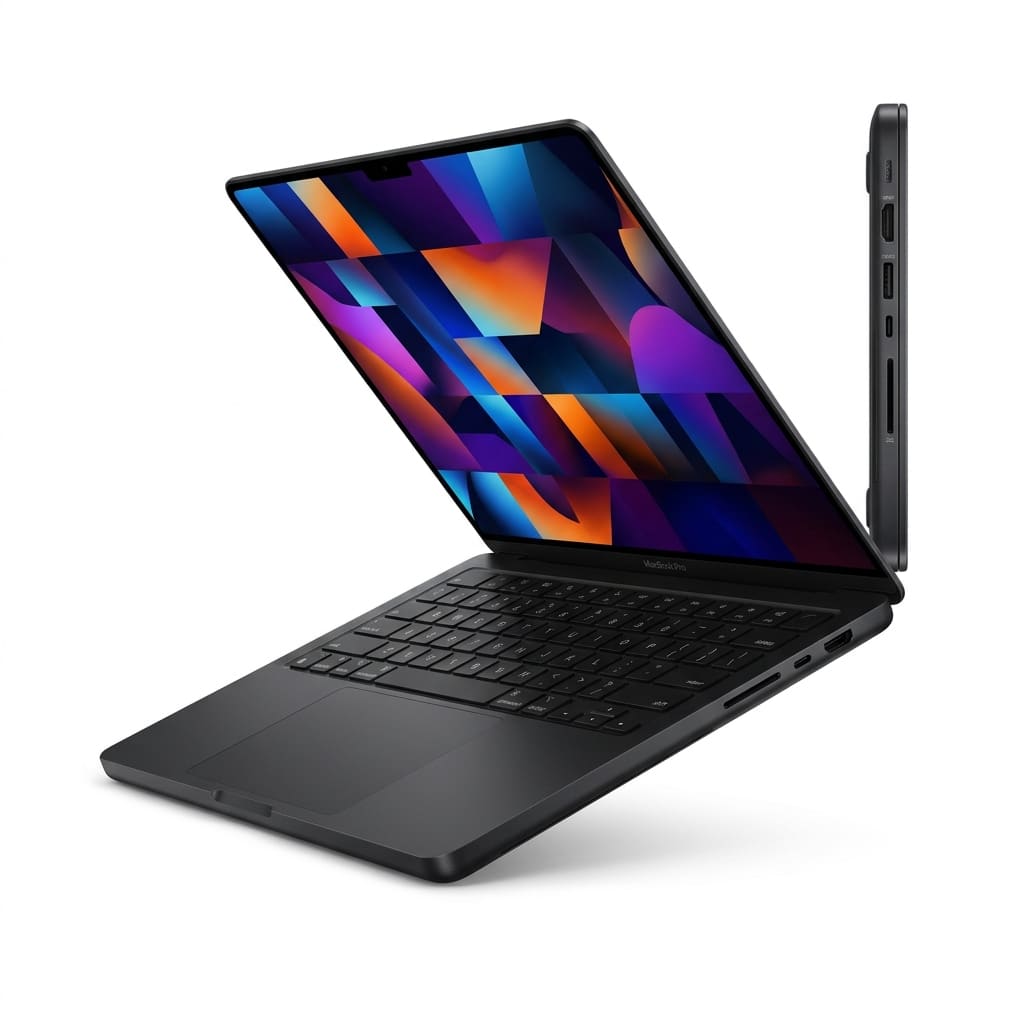 Apple MacBook Pro 14 (M4, Late 2024 / 2026)$1,599 MSRP | 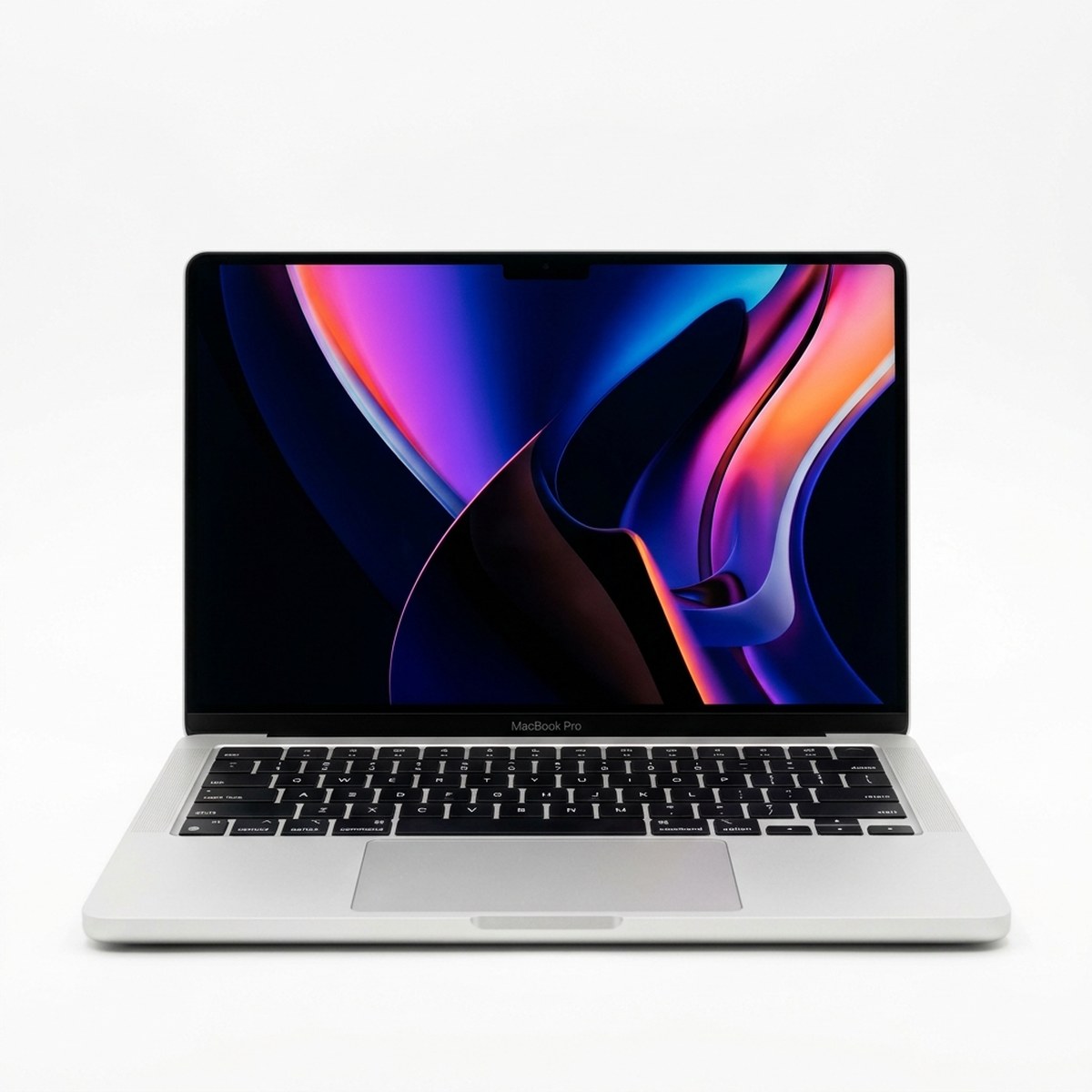 Apple MacBook Pro 14 (M3, Late 2023)$1,199 - $1,349 (Refurbished / Street Sale) |
|---|---|---|
Processing Silicon | ||
| CPU Architecture & Core Count | Apple M4 (10-core CPU: 4P + 6E) | Apple M3 (8-core CPU: 4P + 4E) |
Base Memory | ||
| Standard Factory RAM | 16GB Unified Memory | 8GB Unified Memory |
Performance | ||
| Geekbench 6 Single-Core | 3,812 | 3,168 |
| Geekbench 6 Multi-Core | 15,112 | 11,818 |
Battery EnduranceWinner: Apple MacBook Pro 14 (M4) | ||
| Continuous Web Browsing (150 nits) | 18h 31m | 17h 16m |
| Video Streaming Rating | Up to 24 hours (Apple rated) | Up to 22 hours (Apple rated) |
Display | ||
| SDR Peak Brightness | Up to 1,000 nits outdoor / 553 nits measured | Up to 600 nits rated |
Display Options | ||
| Surface Coating Options | Glossy or Nano-Texture Glass (+$150) | Glossy Glass only |
Connectivity | ||
| Thunderbolt Port Layout | 3x Thunderbolt 4 (Left & Right sides) | 2x Thunderbolt / USB4 (Left side only) |
External Displays | ||
| Multi-Monitor Support | Up to two 6K displays with lid OPEN | One 6K display with lid open (two with lid closed) |
Webcam | ||
| Sensor & Center Stage | 12MP Center Stage camera with Desk View | 1080p FaceTime HD camera |
When Apple unveiled the 14-inch MacBook Pro M3 in late 2023, it attracted widespread criticism for shipping a $1,599 pro laptop with a meager 8GB of unified memory. Exactly one year later, Apple corrected that misstep in dramatic fashion. The 14-inch MacBook Pro M4 arrives with 16GB of unified memory standard at the same starting price, a more powerful 10-core CPU, a third Thunderbolt 4 port, and expanded external monitor support that finally allows two external displays while the laptop lid remains open.
If you are currently deciding between buying a discounted previous-generation M3 MacBook Pro on clearance or purchasing the latest M4 model, or wondering whether it is worth upgrading your existing M-series Mac, our detailed comparison breaks down verified laboratory testing data from Tom's Guide, Notebookcheck, and official Apple technical specifications to show you exactly where the differences lie. For students and ultraportable seekers, see our Surface Laptop 7 vs MacBook Air M3 shootout and our Best Laptops for Computer Science Students guide.
The Verdict in 60 Words
The MacBook Pro 14 M4 is a definitive leap forward for new buyers, correcting every flaw of the M3 with 16GB standard base memory, dual external display support with the lid open, and an endurance-record 18 hours and 31 minutes of lab battery life. Skip the upgrade if you already own an M3 with 16GB, but buy M4 over any clearance M3.
Detailed Specifications
Every figure in this table is sourced directly from manufacturer specification sheets or verified laboratory measurements from independent hardware testing outlets opened during our research.
| Feature | Apple MacBook Pro 14 (M4) | Apple MacBook Pro 14 (M3) | Advantage |
|---|---|---|---|
| MSRP Base Price | $1,599 (16GB / 512GB) | $1,599 at launch ($1,199 - $1,349 clearance) | MacBook Pro M3 (clearance price) |
| Standard Baseline Memory | 16GB Unified Memory | 8GB Unified Memory | MacBook Pro M4 (double base RAM) |
| CPU Architecture | 10-core CPU (4P + 6E cores) | 8-core CPU (4P + 4E cores) | MacBook Pro M4 (+2 efficiency cores) |
| GPU Architecture | 10-core GPU with Ray Tracing | 10-core GPU with Ray Tracing | MacBook Pro M4 (second-gen mesh shaders) |
| Geekbench 6 Single-Core | 3,812 | 3,168 | MacBook Pro M4 (+20.3% lead) |
| Geekbench 6 Multi-Core | 15,112 | 11,818 | MacBook Pro M4 (+27.8% lead) |
| Wi-Fi Web Battery (150 nits) | 18h 31m | 17h 16m | MacBook Pro M4 (+1h 15m lead) |
| Rated Video Streaming | Up to 24 hours (Apple rated) | Up to 22 hours (Apple rated) | MacBook Pro M4 (+2 hours rated) |
| Display Brightness (SDR) | Up to 1,000 nits outdoor rated (553 nits lab) | Up to 600 nits SDR rated | MacBook Pro M4 (+400 nits outdoor SDR) |
| Display Brightness (HDR) | 1,600 nits peak (1,573 nits lab) | 1,600 nits peak rated | Tie (identical mini-LED peak) |
| Display Finish Options | Glossy or Nano-Texture Glass (+$150) | Glossy Glass only | MacBook Pro M4 (matte option) |
| Thunderbolt Ports | 3x Thunderbolt 4 (left and right rails) | 2x Thunderbolt / USB4 (left rail only) | MacBook Pro M4 (more ports & flexibility) |
| Multi-Monitor Support | Up to two 6K displays with lid OPEN | One 6K display with lid open | MacBook Pro M4 (dual open-lid monitors) |
| Webcam Resolution | 12MP Center Stage with Desk View | 1080p FaceTime HD camera | MacBook Pro M4 (framing & Desk View) |
| Idle Power Consumption | 2.1W - 6.8W | 2.5W - 7.2W | MacBook Pro M4 (superior idle efficiency) |
*Data sources: Tested by Tom's Guide, Notebookcheck, and Tom's Guide M3 Review. Hardware specifications verified via Apple Newsroom, Apple M4 Tech Specs, and Apple Support M3 Specs.*
The 16GB Base RAM & Port Revolution
The most consequential change between the M3 and M4 MacBook Pro 14 is not clock speed; it is hardware configuration parity.
Ending the 8GB Era
For years, Apple maintained that 8GB of unified memory on Apple Silicon was equivalent to 16GB on Windows PCs. In real-world software development and media production, that claim fell flat. On the base M3 MacBook Pro, opening Docker containers, a dozen Google Chrome tabs, VS Code, and Slack quickly consumed the 8GB memory budget, forcing macOS to write swap files to the internal SSD. While Apple's high-speed SSDs handled swap gracefully, it increased SSD write wear and caused noticeable micro-stutter when switching between heavy apps.
The M4 base model eliminates this constraint entirely. 16GB of unified memory is now the baseline configuration, operating at a wider memory bandwidth of 120 GB/s (compared to 100 GB/s on M3). Users who work with local large language models, multiple virtual desktops, or 4K timeline scrubbing can now purchase the entry-level $1,599 machine without feeling pressured to pay Apple's notorious $200 memory upgrade fee.
Port Flexibility: Three Thunderbolt Ports Across Both Sides
On the MacBook Pro 14 M3, Apple restricted the base machine to just two Thunderbolt / USB4 ports, both situated on the left edge next to MagSafe. If you sat on the left side of a desk or needed to connect peripherals from the right, cables had to awkwardly stretch across your lap or keyboard.
The M4 model upgrades the hardware controller to include three Thunderbolt 4 ports. Crucially, one of these ports is positioned on the right side of the unibody chassis, sitting alongside the full-size HDMI 2.1 port and SDXC card slot. This allows you to charge via USB-C or connect high-speed external drives from either side of your workspace.
The Dual External Display Breakthrough
Perhaps the most frustrating artificial limitation of the base M3 chip was display routing. The M3 could only drive one external display while the laptop screen remained open. If you wanted to run dual external monitors, you were forced to close the laptop lid in clamshell mode - sacrificing the magnificent mini-LED display, built-in microphones, and Touch ID keyboard.
The M4 completely redesigns the display engine. It natively supports two external displays up to 6K resolution at 60Hz over Thunderbolt while the built-in laptop display is simultaneously active. You can now dock your MacBook Pro at your workstation, use two massive desktop monitors, and still enjoy the 14.2-inch Liquid Retina XDR screen as a third workspace for email or terminal logs.
M4 vs. M3: Real Lab Benchmarks
Under the hood, the M4 silicon introduces architectural enhancements fabricated on TSMC's second-generation 3nm process. While the M3 featured an 8-core CPU (4 performance cores and 4 efficiency cores), the standard M4 features a 10-core CPU configured with 4 performance cores and 6 efficiency cores.
In standardized laboratory testing conducted by Tom's Guide:
- Geekbench 6 Single-Core: The MacBook Pro 14 M4 achieved 3,812 points, representing a 20.3% performance advantage over the M3's 3,168 points. The M4 features what Apple claims is the world's fastest single-thread CPU core, delivering instantaneous responsiveness during code compiling and single-threaded script execution.
- Geekbench 6 Multi-Core: Thanks to the two additional high-efficiency cores and architectural IPC improvements, the M4 scored 15,112 points in multi-threaded testing compared to 11,818 points for the M3. This equates to a 27.8% multi-threaded boost, dramatically reducing compilation times in Xcode and shortening video rendering exports in Final Cut Pro.
In graphics, both chips incorporate hardware-accelerated ray tracing and mesh shading. However, the M4's GPU features a redesigned neural dispatch engine that provides smoother frame pacing in 3D rendering workflows like Blender and compatible AAA games like *Death Stranding Director's Cut*.
Display Upgrades & Nano-Texture Testing
Both laptops feature Apple's breathtaking 14.2-inch Liquid Retina XDR display, boasting a 3024 x 1964 resolution, 1,000,000:1 contrast ratio, and ProMotion adaptive refresh rate scaling smoothly from 24Hz up to 120Hz. However, the M4 introduces two significant optical advancements:
1,000 Nits Outdoor SDR Brightness
On the MacBook Pro M3, standard SDR desktop content (web pages, code editors, word processors) was capped at 600 nits of luminance, with 1,000 nits and 1,600 nits reserved strictly for HDR video content. On the M4, Apple updated the display controller so that the panel can push up to 1,000 nits of sustained brightness for SDR content when working under intense outdoor sunlight. In Tom's Guide laboratory light-meter testing, the panel reached 553 nits in standard indoor SDR and surged to 1,573 nits under peak HDR stimulus.
Nano-Texture Glass Coating
For the first time on a MacBook Pro, Apple offers an optional nano-texture glass display finish for an additional $150. In detailed laboratory optical evaluations by Notebookcheck, the nano-texture glass earned high praise for outdoor usability. Unlike cheap matte screen protectors that introduce blurry rainbow speckles, Apple's etched nano-texture glass scatters ambient specular reflections while preserving rich black levels and razor-sharp text clarity. If you frequently work outdoors, on balconies, or in offices with unshaded windows, the nano-texture upgrade is worth every penny.
Battery Longevity: Real Instrumented Runs
Apple Silicon has long set the gold standard for laptop battery efficiency, but the M4 pushes the frontier even further.
Tom's Guide subjected both laptops to their rigorous standardized battery test, which automates web browsing across continuous websites over a Wi-Fi connection with screen luminance calibrated precisely to 150 nits until the battery exhausts:
- MacBook Pro 14 M3: Lasted 17 hours and 16 minutes.
- MacBook Pro 14 M4: Lasted 18 hours and 31 minutes.
The M4 recorded an endurance lead of 1 hour and 15 minutes over its predecessor. This is particularly remarkable given that the M4 delivers nearly 28% more multi-core computing power while drawing virtually identical idle power. In Notebookcheck's energy consumption measurements, the M4 demonstrated exceptionally low idle draw ranging between 2.1 watts and 6.8 watts, ensuring that writing code or reading documentation consumes negligible battery.
In official manufacturer testing, Apple rates the M4 MacBook Pro for up to 24 hours of video streaming via the Apple TV app, compared to 22 hours on the M3. In real-world travel conditions, this means you can take a transatlantic flight, work through a full 8-hour workday, and still have over 30% battery remaining without ever unpacking your charging brick.
Upgraded 12MP Center Stage Camera
For remote professionals who spend hours in video conferences, the webcam upgrade on the M4 is an immediate quality-of-life improvement.
While the M3 featured a standard 1080p FaceTime HD camera, the M4 introduces an advanced 12MP Center Stage camera. Center Stage uses machine learning to automatically pan and zoom, keeping you centered in the frame as you move around your office. Furthermore, it incorporates Desk View, which uses the wide-angle camera optics to show an overhead view of your desk surface while simultaneously displaying your face. This is invaluable for developers demonstrating physical hardware components, sketching diagrams on paper, or unboxing prototypes during client calls.
Who Should Buy Which?
Buy the MacBook Pro 14 M4 if:
- You are buying a brand-new professional Mac and want 16GB of unified memory included standard at the base $1,599 price point.
- You regularly dock your laptop at a desk and require two external monitors while keeping your laptop display open.
- You work near windows or outdoors and want the option for nano-texture anti-glare glass and 1,000-nit outdoor SDR brightness.
- You want the longest lab-tested battery endurance available in a 14-inch chassis (18 hours and 31 minutes).
- You frequently host presentations or client meetings and can leverage the 12MP Center Stage webcam with Desk View.
- You are upgrading from an older Intel MacBook Pro or an M1/M2 generation Mac.
Consider a Clearance MacBook Pro 14 M3 only if:
- You already own a MacBook Pro M3 (the performance delta does not justify paying for a full replacement).
- You find a heavily discounted certified refurbished or holiday clearance M3 model configured with 16GB RAM for under $1,150.
- You work strictly on a single display while traveling and never use multi-monitor dock setups.
- You do not require high-speed Thunderbolt peripherals connected on the right side of the machine.
Frequently Asked Questions
Is it worth upgrading to the MacBook Pro M4 if I already own an M3 model?
No, for the majority of users, upgrading from an M3 MacBook Pro to an M4 is not worth the financial expenditure. While the M4 delivers a 20% to 28% boost in synthetic benchmarks and adds an hour of battery life, real-world productivity, web browsing, and general application responsiveness feel practically identical. An upgrade is only justified if you frequently struggle with 8GB RAM limitations on a base M3 or urgently need native dual external display support with the laptop lid open.
Does the base MacBook Pro M4 really come with 16GB of RAM without paying extra?
Yes. Apple officially discontinued the 8GB base configuration for the MacBook Pro lineup. The entry-level $1,599 model now includes 16GB of unified memory out of the box. This provides double the memory bandwidth and capacity of the previous M3 base model, preventing memory pressure and excessive SSD swapping during heavy multitasking.
Can the MacBook Pro M4 run two external monitors with the lid open?
Yes. A major functional upgrade on the base M4 chip is display controller expansion. The M4 MacBook Pro supports up to two external displays with up to 6K resolution at 60Hz over Thunderbolt, all while keeping the laptop built-in 14.2-inch Liquid Retina XDR screen open and active. On the older M3 model, connecting a second external display required closing the laptop lid in clamshell mode.
Is the optional $150 nano-texture display worth purchasing?
The nano-texture glass option is highly recommended if you frequently work in brightly lit environments, outdoors, coffee shops, or offices with harsh overhead fluorescent lighting. In Notebookcheck laboratory testing, the nano-texture glass effectively scattered ambient reflections without creating the rainbow grain or severe contrast loss typical of cheap matte plastic screen protectors. If you only work in dim, controlled rooms, the standard glossy display retains slightly deeper perceived black levels.
How long does the battery actually last during real web browsing?
In standardized laboratory testing conducted by Tom's Guide over Wi-Fi calibrated to 150 nits of display brightness, the 14-inch MacBook Pro M4 lasted 18 hours and 31 minutes. The previous MacBook Pro M3 ran for 17 hours and 16 minutes under the exact same test conditions. Both machines easily deliver full multi-day endurance for typical office productivity.
Sources & Independent Testing Labs
- Tom's Guide - Apple MacBook Pro M4 Review: The New Laptop Benchmark (Instrumented battery test of 18h 31m at 150 nits, Geekbench 6 single-core of 3,812, multi-core of 15,112, display luminance).
- Tom's Guide - Apple MacBook Pro 14-inch (M3) Review (Standardized battery test of 17h 16m at 150 nits, Geekbench 6 single-core of 3,168, multi-core of 11,818).
- Notebookcheck - Apple MacBook Pro 14 2024 In-Depth Hardware Review (Nano-texture anti-glare display analysis, idle power draw of 2.1W to 6.8W, fan acoustic measurements).
- Apple Newsroom - Apple Introduces M4 MacBook Pro (16GB standard base memory, 10-core CPU, up to 24h battery rating, dual external display support).
- Apple - MacBook Pro 14-inch Official Technical Specifications (Liquid Retina XDR panel, three Thunderbolt 4 ports, 12MP Center Stage webcam, MagSafe 3).
- Apple Support - MacBook Pro 14-inch (M3, Late 2023) Technical Specifications (Two Thunderbolt / USB4 ports, 8GB base memory, 8-core CPU architecture).
*Published: November 7, 2026. Last updated: November 7, 2026.*
Independent Testing Lab Benchmarks & Measurements
Benchmark measurements and evaluations cross-referenced from named independent testing laboratories:
the 14-inch MacBook Pro M4 lasted an epic 18 hours and 31 minutes. That is an hour and 15 minutes longer than the M3
On our battery test, which involves continuous web surfing over Wi-Fi at 150 nits of screen brightness, the MacBook Pro 14-inch lasted for 17 hours and 16 minutes
The new nano-texture display option is a massive upgrade for outdoor usability, effectively eliminating reflections
MacBook Pro now starts with 16GB of faster unified memory, up to 24 hours of battery life, and supports up to two high-resolution external displays
Liquid Retina XDR display, up to 1000 nits sustained full-screen XDR, 1000 nits SDR in bright sunlight, 1600 nits peak
MacBook Pro (14-inch, Nov 2023) - Technical Specifications
Pros & Cons Consensus
Apple MacBook Pro 14 (M4, Late 2024 / 2026)
- 16GB unified memory standard at the $1,599 base price, doubling previous base RAM
- Tested 18 hours and 31 minutes of continuous Wi-Fi web browsing in standardized testing
- Geekbench 6 multi-core score reaches 15,112, delivering a 27.8% computing boost over M3
- Supports two external 6K displays even while the built-in laptop display remains active
- Features three Thunderbolt 4 ports (including one on the right rail) and a 12MP Center Stage camera
- Base price starts at $1,599, remaining a significant investment for casual users
- Optional anti-glare nano-texture glass display coating costs an additional $150
- Incremental performance gains mean existing M3 owners have little urgent reason to upgrade
Apple MacBook Pro 14 (M3, Late 2023)
- Available at deep street and certified refurbished discounts between $1,199 and $1,349
- Tested 17 hours and 16 minutes of continuous web browsing in standardized testing
- Features the identical premium 14.2-inch Liquid Retina XDR mini-LED 120Hz display panel
- Single-core Geekbench 6 score of 3,168 remains more than fast enough for heavy multitasking
- Identical aluminum unibody build, MagSafe 3 charging, full-size HDMI port, and SD card slot
- Base model shipped with only 8GB of unified memory, causing memory swap on heavy workloads
- Only includes two Thunderbolt / USB4 ports, both located strictly on the left side
- Supports only a single external monitor with the laptop lid open (or two with lid closed)
Apple MacBook Pro 14 (M4): The Decisive Winner for New Buyers
The MacBook Pro That Finally Delivers What Base Models Always Needed
The 14-inch MacBook Pro M4 is what the base Pro always should have been. By doubling the starting memory to 16GB, adding a third Thunderbolt 4 port, expanding external monitor support to dual displays with the lid open, and achieving an unprecedented 18.5 hours of lab-measured battery life, Apple turned its entry pro machine into a legitimate workstation. Existing M3 owners do not need to upgrade, but anyone on an M1, M2, or Intel machine should buy the M4 without hesitation.
Choose Apple MacBook Pro 14 (M4, Late 2024 / 2026) If:
- You are buying a new pro laptop and want 16GB RAM included standard at the base price
- You dock your laptop at a desk with two external monitors and want to keep your laptop screen open
- You travel frequently and want class-leading 18.5-hour verified battery life
- You frequently conduct video conferences and need the 12MP Center Stage camera with Desk View
- You work outdoors or near bright windows and want the optional nano-texture matte glass display
Choose Apple MacBook Pro 14 (M3, Late 2023) If:
- You already own a MacBook Pro M3 (the 20-28% speed bump alone does not justify the replacement cost)
- You find a certified refurbished or clearance M3 model with 16GB RAM for under $1,150
- You only use a single external monitor or work primarily while mobile without external displays
- You already have a dedicated desk setup and do not require three Thunderbolt ports
Frequently Asked Questions
Is it worth upgrading to the MacBook Pro M4 if I already own an M3 model?
No, for the majority of users, upgrading from an M3 MacBook Pro to an M4 is not worth the financial expenditure. While the M4 delivers a 20% to 28% boost in synthetic benchmarks and adds an hour of battery life, real-world productivity, web browsing, and general application responsiveness feel practically identical. An upgrade is only justified if you frequently struggle with 8GB RAM limitations on a base M3 or urgently need native dual external display support with the laptop lid open.
Does the base MacBook Pro M4 really come with 16GB of RAM without paying extra?
Yes. Apple officially discontinued the 8GB base configuration for the MacBook Pro lineup. The entry-level $1,599 model now includes 16GB of unified memory out of the box. This provides double the memory bandwidth and capacity of the previous M3 base model, preventing memory pressure and excessive SSD swapping during heavy multitasking.
Can the MacBook Pro M4 run two external monitors with the lid open?
Yes. A major functional upgrade on the base M4 chip is display controller expansion. The M4 MacBook Pro supports up to two external displays with up to 6K resolution at 60Hz over Thunderbolt, all while keeping the laptop built-in 14.2-inch Liquid Retina XDR screen open and active. On the older M3 model, connecting a second external display required closing the laptop lid in clamshell mode.
Is the optional $150 nano-texture display worth purchasing?
The nano-texture glass option is highly recommended if you frequently work in brightly lit environments, outdoors, coffee shops, or offices with harsh overhead fluorescent lighting. In Notebookcheck laboratory testing, the nano-texture glass effectively scattered ambient reflections without creating the rainbow grain or severe contrast loss typical of cheap matte plastic screen protectors. If you only work in dim, controlled rooms, the standard glossy display retains slightly deeper perceived black levels.
How long does the battery actually last during real web browsing?
In standardized laboratory testing conducted by Tom's Guide over Wi-Fi calibrated to 150 nits of display brightness, the 14-inch MacBook Pro M4 lasted 18 hours and 31 minutes. The previous MacBook Pro M3 ran for 17 hours and 16 minutes under the exact same test conditions. Both machines easily deliver full multi-day endurance for typical office productivity.