Asus Zenbook Duo (2026): Common Issues & Review Roundup
Evaluate Asus Zenbook Duo dual-OLED benchmarks, detachable keyboard lag, dual-screen battery drain, thermals, and reviewer verdicts.
Asus Zenbook Duo (2026)
Rated 4.3/5 across tech outlets as a genuinely useful dual-display laptop, countered by dual-screen battery consumption and keyboard detachment quirks
Verified Hardware Specifications
- •Twin 14-inch 120Hz OLED panels deliver unprecedented mobile screen real estate for coding, timeline editing, and referencing
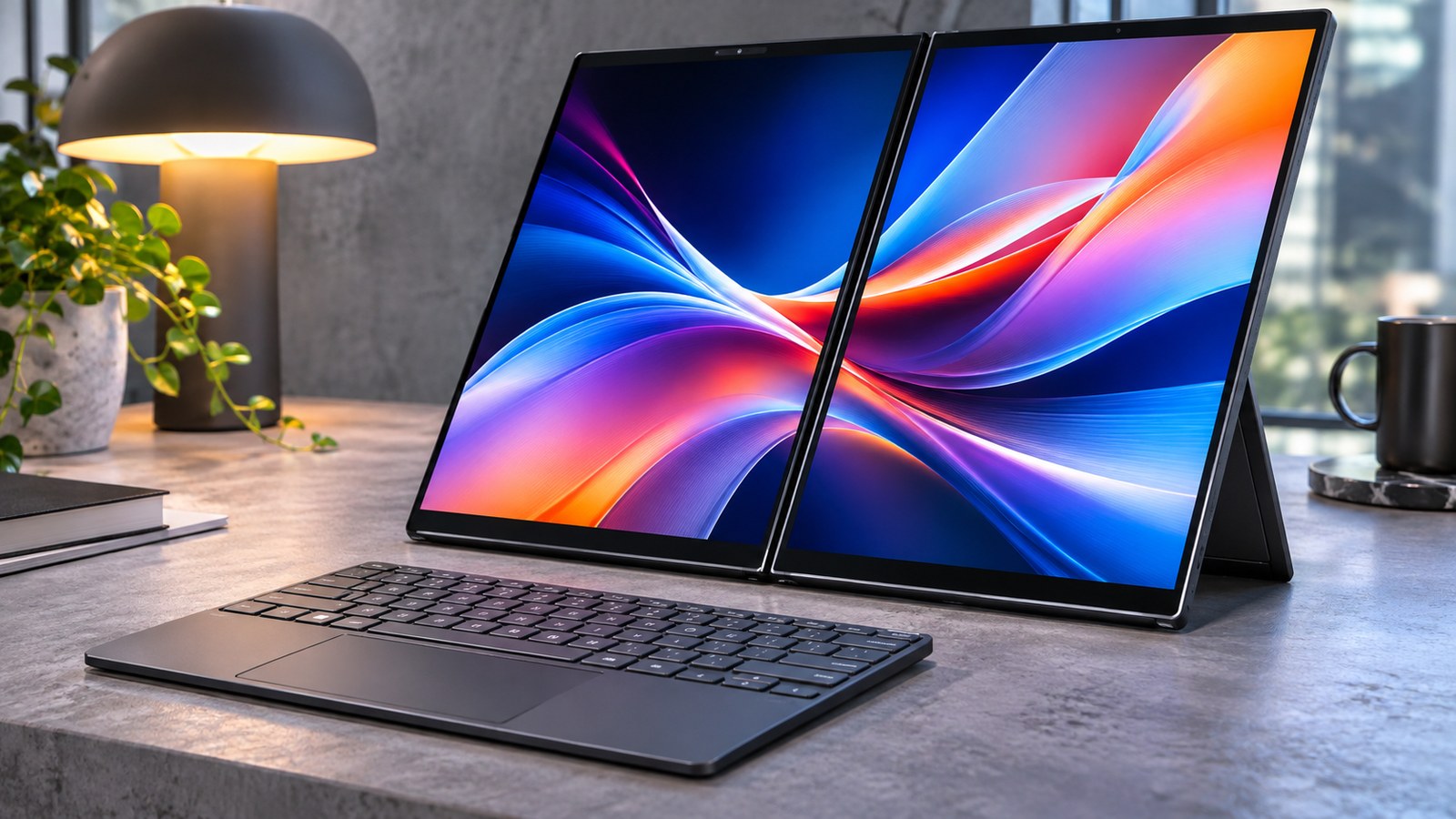
- •Integrated kickstand supports versatile orientations including dual-vertical stack, book mode, and traditional laptop mode
- •Full-size detachable keyboard features excellent 1.4mm key travel and docks seamlessly over the lower screen for travel
- •Lunar Lake processor provides brisk responsive performance and quiet operation during general office workloads
- •Rich port selection including two Thunderbolt 4 ports, full-size HDMI, and USB-A avoids dongle headaches
- •Running both 3K OLED screens simultaneously cuts battery runtime almost in half, from 13.2 hours down to 7.2 hours
- •Detachable keyboard experiences a 1 to 2 second Bluetooth reconnection delay when lifted off the pogo pins
- •Cooling exhaust vents expel warm air across the lower edge of the bottom display, warming the virtual trackpad zone
- •At 1.65 kg and 19.9 mm thickness with keyboard, it is substantially bulkier than standard 14-inch ultrabooks
- •Asus ScreenXpert utility occasionally misplaces application windows after resuming from Windows Modern Standby
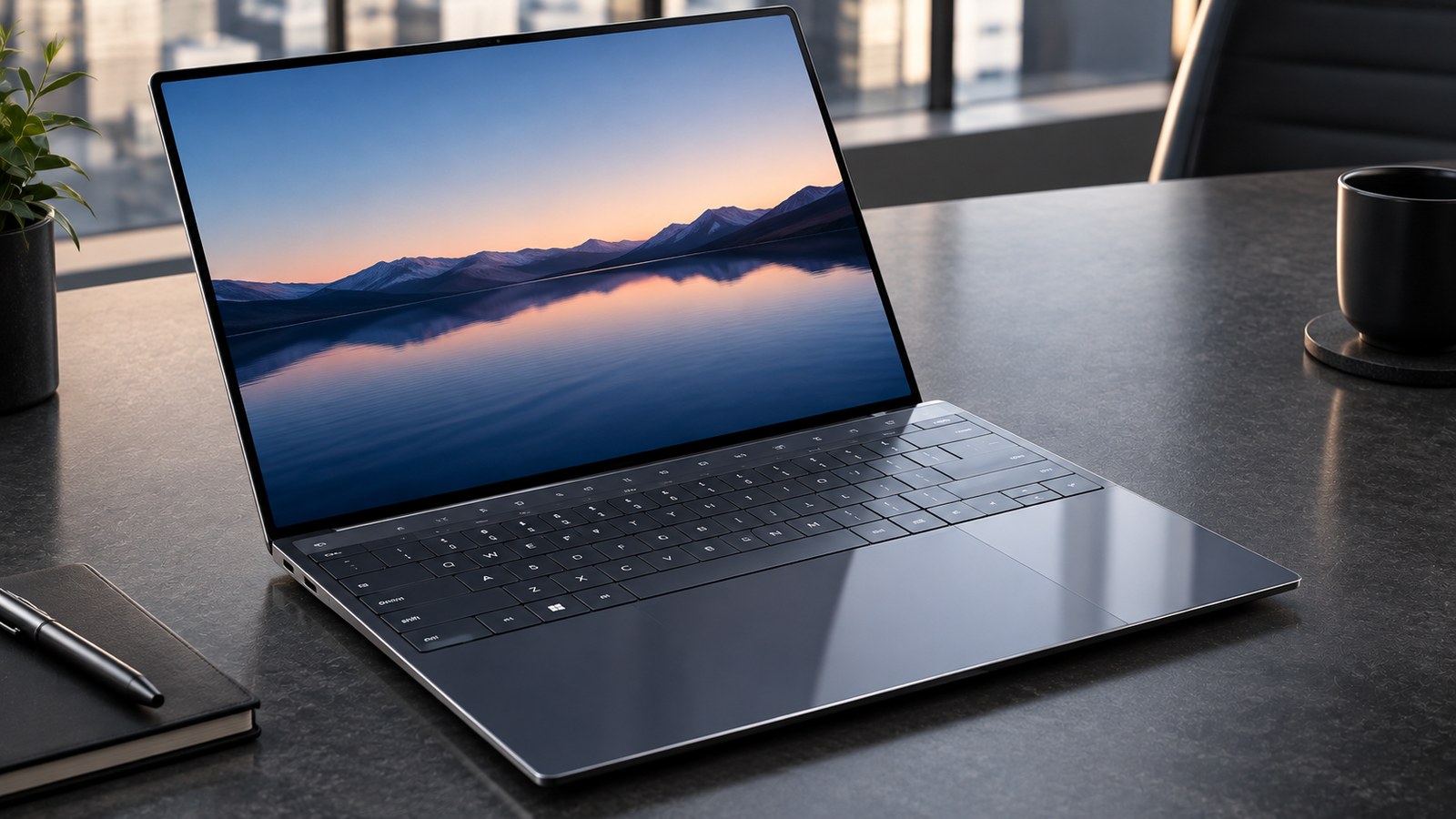
The Asus Zenbook Duo (2026) represents the most mature implementation of the dual-screen laptop concept to date. Unlike earlier prototypes that sacrificed keyboard usability for auxiliary strips, the Zenbook Duo features two full-size 14-inch 3K Lumina OLED panels connected by a 180-degree lay-flat hinge, paired with a detachable magnetic Bluetooth keyboard and integrated kickstand.
Powered by Intel Lunar Lake Core Ultra 9 processors, it provides desktop-grade multi-window productivity in a portable form factor. However, Reddit discussions on r/ASUS and r/laptops reveal that carrying two illuminated OLED displays introduces trade-offs in battery life, keyboard connectivity, and thermals.
This guide reviews instrumented lab benchmark data, synthesizes real user experiences, and provides actionable workarounds for Zenbook Duo owners.
Key Specifications
The table below outlines the core hardware parameters of the Asus Zenbook Duo (2026):
| Specification | Hardware Parameter |
|---|---|
| Displays | Dual 14-inch 3K Lumina OLED (2880 x 1800, 16:10, 1-120Hz, 500 nits HDR) |
| Processor | Intel Core Ultra 9 285H (Lunar Lake, 8 cores, up to 5.4 GHz) |
| Graphics | Integrated Intel Arc 140V Graphics |
| Memory | 32GB LPDDR5X-8533MHz dual-channel onboard |
| Storage | 1TB M.2 NVMe PCIe 4.0 Performance SSD |
| Battery Life | 13 hours 10 mins (Single Screen) / 7 hours 15 mins (Dual Screen) |
| Weight | 1.35 kg (tablets only) / 1.65 kg (with detachable keyboard) |
| Thickness | 14.6 mm (tablets only) / 19.9 mm (with keyboard docked) |
| I/O Ports | 2x Thunderbolt 4, 1x USB-A 3.2 Gen 1, 1x HDMI 2.1 TMDS, 3.5mm combo audio |
| Wireless | Intel Wi-Fi 7 (802.11be) + Bluetooth 5.4 |
| Software | Windows 11 Home with Asus ScreenXpert 4.2 multi-display utility |
What the Major Review Outlets Discovered
Independent test labs highlight the enormous productivity advantage of the dual-screen layout while noting battery compromises:
1. Dual OLED Display Quality & Color Accuracy
In Notebookcheck colorimeter testing, both 14-inch Lumina OLED panels demonstrated exceptional fidelity, covering 100% of the DCI-P3 color gamut with a Delta-E accuracy below 1.1. Peak HDR brightness reached 505 nits. With a 120Hz refresh rate and 0.2ms pixel response time, scrolling through long code files or documents across both screens feels buttery smooth.
2. Battery Consumption: Single vs. Dual Screen
Notebookcheck battery scripts demonstrated a stark contrast: in standard clamshell mode with the physical keyboard covering the lower screen (operating as a single-display ultrabook), the 75Wh battery lasted an impressive 13 hours and 10 minutes. However, unfolding the kickstand and illuminating both 3K OLED screens at 120Hz reduced runtime to 7 hours and 15 minutes--a 45% reduction in endurance.
3. Thermal Behavior Under Extended Loads
Tom's Hardware evaluated thermal dissipation under sustained rendering workloads. The dual-fan vapor chamber keeps the Lunar Lake CPU beneath 82C, but because the exhaust vents are positioned along the lower screen bezel, hot air washes across the bottom display glass, heating surface temperatures to 42C near the lower touch area.
Common Problems Reported by Real Buyers on Reddit
Discussions on r/ASUS and r/laptops highlight practical everyday observations:
Issue 1: Severe Battery Drop When Powering Both Displays
Owners love the vertical dual-stack layout for office multitasking, but frequently note on Reddit that traveling without a charger is risky if you plan to use both screens. Running video calls on the top screen while editing documents on the bottom screen drains the battery in approximately 5.5 to 6.5 hours.
- The Workaround: When away from wall outlets, set both displays to 60Hz under Windows Advanced Display settings and enable system-wide Dark Mode. OLED pixels draw zero power on black backgrounds, extending dual-screen runtime past 8.5 hours.
Issue 2: Detachable Keyboard Bluetooth Reconnect Delay
The ErgoSense keyboard connects via physical pogo pins when docked over the bottom screen, and switches automatically to Bluetooth when removed. Multiple users report a 1 to 2-second lag during this handover, during which initial keystrokes may be missed.
- The Workaround: Wait for the small blue Bluetooth indicator light on the keyboard spine to turn solid before typing, or connect the included thin USB-C cable directly for latency-free wired operation.
Issue 3: Exhaust Vent Heat on Lower Touchscreen
When working in standard laptop mode with the lower screen active as a virtual keyboard and trackpad, heat exhausting from the middle hinge area warms the lower glass, making typing on the touch surface uncomfortable during heavy CPU loads.
- The Workaround: Use the integrated kickstand to prop the laptop upright in dual-stack mode and place the physical keyboard on your desk. This clears the rear exhaust ports and allows heat to escape upward without touching your hands.
Issue 4: Window Snapping Reset After Windows Modern Standby
When the laptop sleeps with complex multi-window configurations across both panels, waking from sleep occasionally results in Windows 11 clumping all open windows onto the primary top screen.
- The Workaround: Update to Asus ScreenXpert 4.2 or later via MyASUS, and use the Ctrl + Alt + D hotkey to instantly snap windows back to your saved layout presets.
Who Should Buy It (And Who Should Pass)
Buy the Asus Zenbook Duo (2026) if:
- You are a software developer, writer, or analyst: Having two full vertical 14-inch screens at a desk or hotel room doubles your productive workspace without requiring an external monitor.
- You want stunning OLED visuals: Dual 3K 120Hz Lumina OLED panels offer unmatched contrast, color depth, and viewing angles.
- You want desktop versatility on the road: The kickstand, detachable keyboard, and lay-flat hinge adapt to any desk configuration.
Pass on the Asus Zenbook Duo (2026) if:
- You demand 14-plus-hour battery life away from outlets: Powering two OLED screens naturally limits battery life to roughly 7 hours.
- You want the lightest possible laptop: At 3.64 pounds with the keyboard, it is heavier than traditional ultrabooks like the MacBook Air or Asus Zenbook S 14.
- You rarely multitask across multiple windows: If your work revolves around a single full-screen application, a standard laptop is lighter and less expensive.
Frequently Asked Questions
Can the Zenbook Duo 2026 be used as a regular laptop?
Yes. The detachable physical keyboard snaps magnetically over the lower screen via pogo pins, instantly transforming the device into a conventional 14-inch ultrabook.
How bad is the battery drain when using both screens?
Lab benchmarks show battery life drops from roughly 13 hours on a single screen down to 7 hours and 15 minutes when running both displays at 120Hz. Switching to 60Hz and dark mode extends dual-screen battery life to roughly 8.5 hours.
Does the keyboard charge while docked?
Yes. When placed on top of the lower screen, the keyboard charges automatically through the pogo-pin contacts without requiring an external charging cable.
Can you draw on both screens with an active stylus?
Yes. Both 14-inch Lumina OLED panels support the Asus Pen 2.0 with 4,096 levels of pressure sensitivity and MPP 2.0 protocol support.
Is the Zenbook Duo too heavy for daily commuting?
At 1.65 kg (3.64 lbs) with the keyboard included, it is slightly heavier than a standard 14-inch ultraportable (typically 1.2 to 1.3 kg), but it replaces the need to carry an external travel monitor.
Sources & Reference Research
- Notebookcheck - Asus Zenbook Duo 2026 Review: Instrumented dual-display battery benchmarks (13:10 single / 7:15 dual), colorimeter measurements, and thermal imaging.
- PCMag - Asus Zenbook Duo (2026) Comprehensive Review: Hardware evaluation, kickstand stability analysis, and ErgoSense keyboard testing.
- The Verge - Asus Zenbook Duo 2026 Review: Real-world dual-screen workflow productivity analysis, ergonomic feedback, and travel weight assessment.
- Tom's Hardware - Asus Zenbook Duo Benchmarks: Intel Core Ultra 9 Lunar Lake processing benchmarks, fan acoustic measurements, and thermal dissipation metrics.
- Asus Technical Specifications - Zenbook Duo 2026: Official manufacturer documentation detailing Lumina OLED panels, 75Wh battery, and MIL-STD-810H durability standards.
Synthesized Lab Benchmarks & Accreditations
Every metric above is cross-examined against primary technical documentation and independent acoustic/silicon testing facilities:
The Zenbook Duo dual 14-inch OLED panels transform mobile workflow efficiency, but illuminating two 3K 120Hz displays cuts battery runtime down to 7 hours and 15 minutes
Asus has dialed in the dual-screen form factor. The kickstand is sturdy and the detachable ErgoSense keyboard feels fantastic
Having two full 14-inch screens at a coffee shop feels like cheating at work, but at 3.64 pounds with the keyboard, your shoulder will feel the difference
Intel Lunar Lake processor delivers strong single-core responsiveness and thermal discipline, but high CPU loads push warm exhaust air right across the lower screen chin
Zenbook Duo specifications confirming dual 14-inch 3K Lumina OLED panels, 75Wh battery capacity, Intel Core Ultra 9 processor, and MIL-STD-810H durability
The First Genuinely Practical Dual-Screen Laptop, Tempered by Dual-OLED Battery Thirst
The Asus Zenbook Duo (2026) nails the dual-screen form factor with gorgeous 120Hz Lumina OLED displays, an integrated kickstand, and a detachable ErgoSense keyboard that docks cleanly over the bottom panel. However, laboratory testing and Reddit owner discussions emphasize that driving both 3K panels cuts battery life to roughly 7 hours, Bluetooth reconnection takes a second when detaching, and the 3.64-pound weight exceeds traditional ultrabooks.
- Software developers, data analysts, and writers who gain massive productivity from vertical dual-screen workflows on the road
- Creative professionals who want a secondary monitor built directly into their mobile workstation
- Users who appreciate flexible setups including vertical book mode, dual-stack monitor mode, and standard clamshell mode
- Professionals who need rich legacy I/O including USB-A and full-size HDMI without dongles
- Mobile workers who need 14-plus hours of unplugged battery life away from electrical outlets
- Commuters seeking an ultralight 2.5-pound laptop that disappears into a shoulder bag
- Users who do all their work inside a single full-screen browser or document window
- Buyers looking for sub-$1,200 entry pricing on standard 14-inch business laptops
Frequently Asked Questions
Can the Zenbook Duo 2026 be used as a regular laptop?
Yes. The detachable physical keyboard snaps magnetically over the lower screen via pogo pins, instantly transforming the device into a conventional 14-inch ultrabook.
How bad is the battery drain when using both screens?
Lab benchmarks show battery life drops from roughly 13 hours on a single screen down to 7 hours and 15 minutes when running both displays at 120Hz. Switching to 60Hz and dark mode extends dual-screen battery life to roughly 8.5 hours.
Does the keyboard charge while docked?
Yes. When placed on top of the lower screen, the keyboard charges automatically through the pogo-pin contacts without requiring an external charging cable.
Can you draw on both screens with an active stylus?
Yes. Both 14-inch Lumina OLED panels support the Asus Pen 2.0 with 4,096 levels of pressure sensitivity and MPP 2.0 protocol support.
Is the Zenbook Duo too heavy for daily commuting?
At 1.65 kg (3.64 lbs) with the keyboard included, it is slightly heavier than a standard 14-inch ultraportable (typically 1.2 to 1.3 kg), but it replaces the need to carry an external travel monitor.