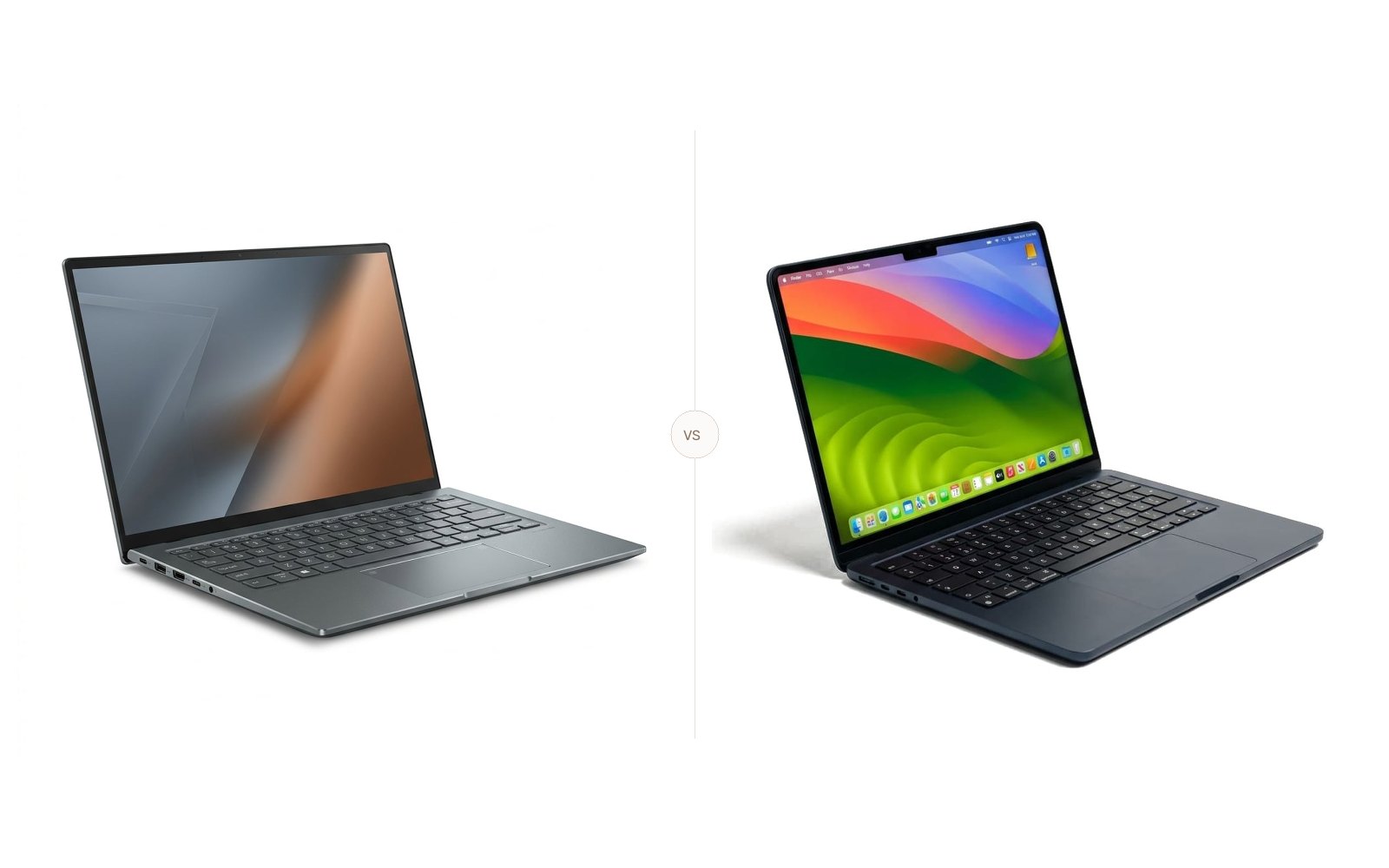
MacBook Air M3 vs Dell XPS 13: Which Ultraportable Wins?
Comparing the M3 MacBook Air and Snapdragon X Elite Dell XPS 13 on 150-nit web battery tests, Geekbench 6 speed, and screen nits from Tom's Guide.
The Quick Verdict
Choosing between the Apple MacBook Air 13 (M3) and the Dell XPS 13 (9345, Snapdragon X Elite) comes down to your personal priorities:
Frequent travelers and everyday professionals who demand silent, fanless operation, flawless app compatibility, and top-tier trackpad ergonomics.
Power users and road warriors who prioritize extreme battery life above all else and primarily run native Windows ARM productivity apps.
Head-to-Head Spec Matrix & Lab Scores
Specifications and published measurements, credited below
| Hardware Feature | 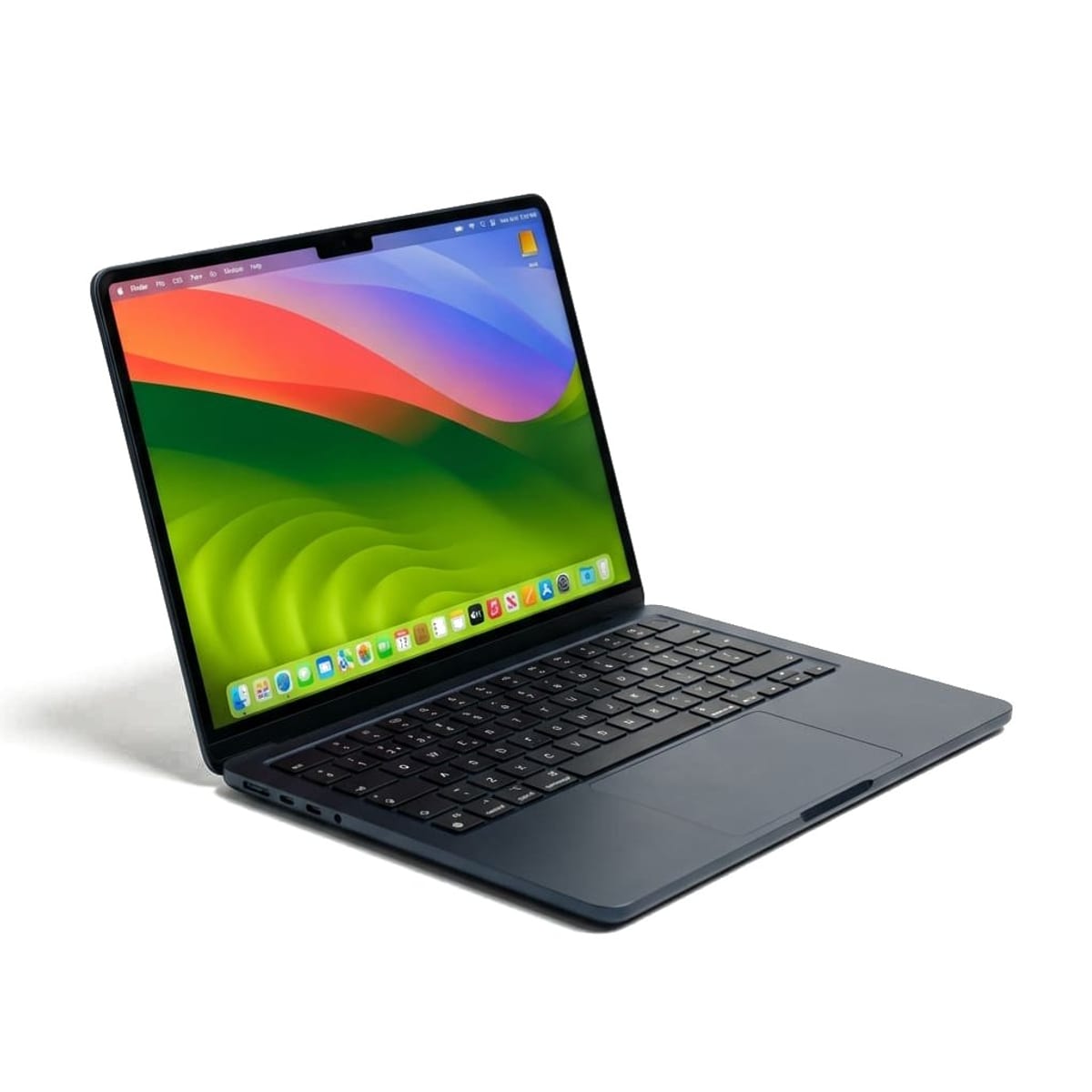 Apple MacBook Air 13 (M3)$999 street price (16GB / 256GB) | 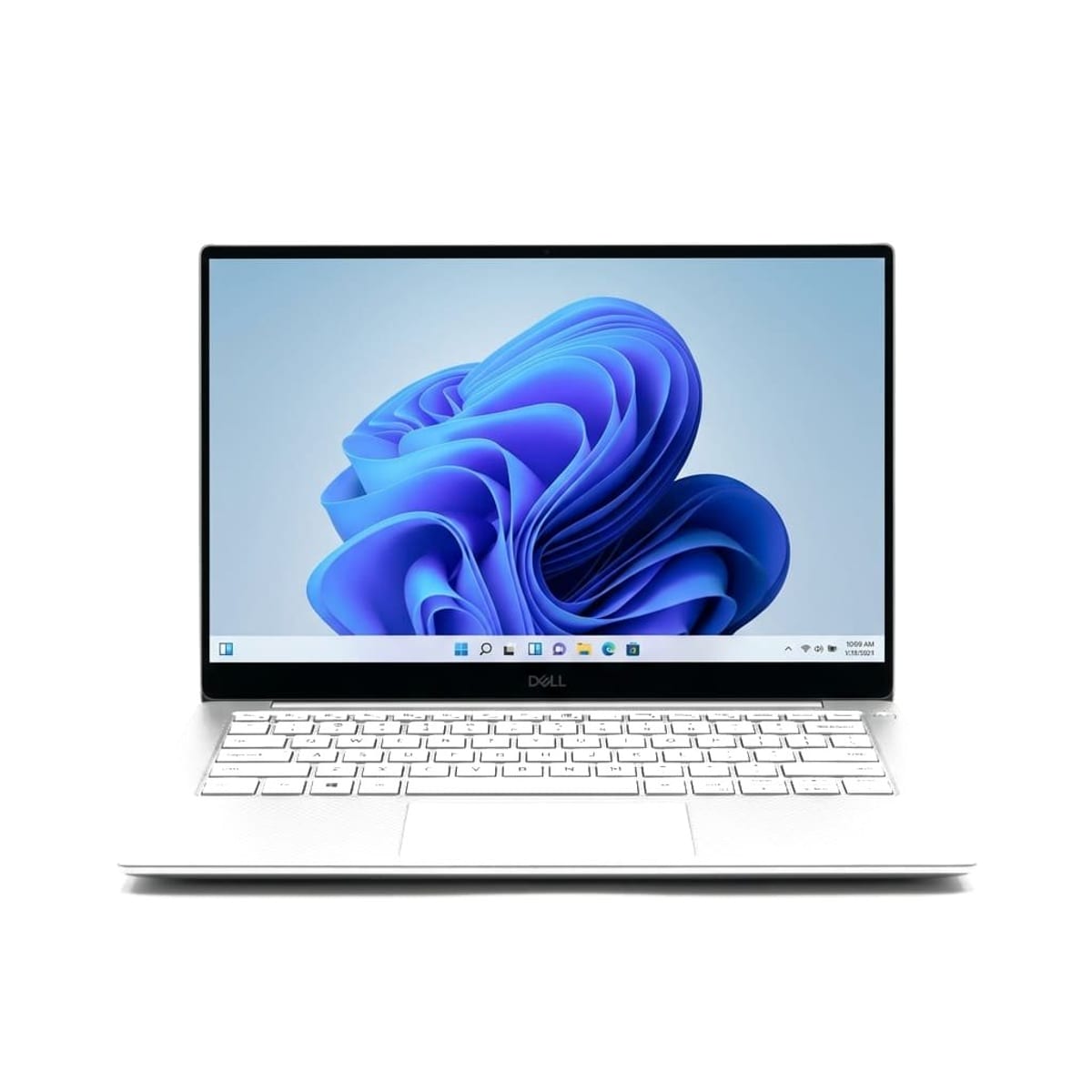 Dell XPS 13 (9345, Snapdragon X Elite)$999 street price (16GB / 512GB) |
|---|---|---|
Pricing & Storage | ||
| Base Street Price | $999 (16GB RAM / 256GB SSD) | $999 (16GB RAM / 512GB SSD) |
Battery Endurance | ||
| Tom's Guide Web Test (150 nits) | 15 hours 13 minutes | 19 hours 41 minutes |
| Tom's Hardware Web Test (150 nits) | 15 hours 13 minutes | 19 hours 31 minutes |
Performance | ||
| Geekbench 6 Multi-Core | 12,087 (Tom's Guide) | 14,635 (Tom's Hardware) |
| Geekbench 6 Single-Core | 3,082 (Tom's Guide) | 2,797 (Tom's Hardware) |
Display | ||
| Panel Size & Resolution | 13.6-inch Liquid Retina (2560 x 1664, 60Hz) | 13.4-inch FHD+ IPS (1920 x 1200, 120Hz) |
| Measured Peak Brightness | 476.4 nits (Tom's Hardware) | 456.0 nits (Tom's Hardware) |
Thermals & Noise | ||
| Cooling Architecture | Fanless passive cooling (0 dB silent) | Dual active cooling fans |
Ports & Connectivity | ||
| I/O Ports | 2x Thunderbolt / USB4, MagSafe 3, 3.5mm headphone jack | 2x USB4 / Thunderbolt 4 (Type-C only) |
The 60-Second Verdict
The Dell XPS 13 (9345) wins the endurance crown, lasting an extraordinary 19 hours and 41 minutes in Tom's Guide's standardized 150-nit web browsing test compared to 15 hours and 13 minutes for the MacBook Air M3. However, the MacBook Air M3 is still the better laptop for most people due to its uncompromised keyboard, physical function keys, dedicated headphone jack, and flawless software reliability.
Battery Life: Real Lab Rundown Benchmarks
For years, Apple Silicon held an untouchable lead in laptop battery endurance. Qualcomm's ARM-based Snapdragon X Elite has disrupted that monopoly. In standardized laboratory testing, multiple independent publications saw the Dell XPS 13 breeze past the MacBook Air M3.
Tom's Guide tests laptop batteries by running continuous web surfing over Wi-Fi with screen brightness calibrated to exactly 150 nits. Under this standardized workload, the Dell XPS 13 averaged 19 hours and 41 minutes. On the exact same testing bench, the 13-inch MacBook Air M3 recorded 15 hours and 13 minutes.
Tom's Hardware mirrored these findings on its own bench, reporting:
*"Under these conditions, the XPS 13 lasted a staggering 19 hours and 31 minutes, which is impressive given its smallish 55 WHr battery. Apple's ultraportables have always been endurance champions, but even the 13-inch MacBook Air couldn't touch the XPS 13, as it only lasted 15 hours and 13 minutes."*
In video playback and mixed productivity testing, Engadget recorded an average of 17 hours and 47 minutes on the Dell XPS 13. While the MacBook Air M3's 15 hours easily gets any user through a full workday, the Dell XPS 13 gives road warriors an additional 4 to 5 hours of headroom.
Performance and Silicon: Apple M3 vs. Qualcomm Snapdragon X Elite
Under the hood, these two machines take distinct approaches to ARM architecture. The MacBook Air M3 features an 8-core CPU (4 performance, 4 efficiency cores) paired with a 10-core GPU. The Dell XPS 13 (9345) packs Qualcomm's 12-core Snapdragon X Elite (X1E-80-100) running at up to 3.4 GHz with dual-core boost to 4.0 GHz.
In multi-threaded synthetic benchmarks, Qualcomm's extra physical cores pay dividends:
- Geekbench 6 Multi-Core: The Dell XPS 13 posted 14,635 in Tom's Hardware testing, outpacing the MacBook Air M3's score of 12,087 by roughly 21%.
- Geekbench 6 Single-Core: Apple's custom core microarchitecture pulled ahead, delivering 3,082 on the MacBook Air against the XPS 13's 2,797.
However, synthetic benchmark charts tell only half the story. The MacBook Air runs macOS, where virtually every modern application is compiled natively for Apple Silicon, running at peak efficiency with zero translation overhead.
On the Dell XPS 13, Windows on ARM relies on the Prism emulation layer for x86 applications. While native ARM applications like Microsoft Office, Google Chrome, Spotify, and Adobe Photoshop fly, legacy x86 corporate utilities, custom VPN clients, and audio production VSTs can experience performance stutter or fail to launch entirely.
If your workflow involves specialized software or local AI tooling, review our guide to the best Windows laptops and our analysis of college student laptop requirements before committing to ARM Windows.
Display Brightness and Visual Ergonomics
Display measurements from independent testing reveal clear trade-offs between panel brightness and refresh speed:
| Measurement | Apple MacBook Air 13 (M3) | Dell XPS 13 (9345, Snapdragon) |
|---|---|---|
| Screen Size & Type | 13.6-inch Liquid Retina IPS | 13.4-inch InfinityEdge IPS |
| Resolution | 2560 x 1664 (224 ppi) | 1920 x 1200 (169 ppi) |
| Refresh Rate | 60Hz standard | 120Hz dynamic |
| Peak Brightness (Measured) | 476.4 nits (Tom's Hardware) | 456.0 nits (Tom's Hardware) |
| sRGB Color Gamut | 100% sRGB coverage | 94.0% sRGB coverage |
In Tom's Hardware's instrumented optical sweeps, the MacBook Air M3 took top honors, hitting 476.4 nits of maximum brightness compared to 456.0 nits on the Dell XPS 13. Apple's Liquid Retina panel also offers higher native resolution and richer color reproduction (covering 100% of sRGB).
Where the Dell XPS 13 fights back is fluidity. Its base display supports a dynamic 120Hz refresh rate, making window snapping, web scrolling, and PDF navigation feel noticeably smoother than the MacBook Air's locked 60Hz screen.
Keyboard, Trackpad, and Everyday Frustrations
Where the MacBook Air M3 decisively wins this comparison is daily physical ergonomics.
Dell carried over its experimental design language from the XPS 13 Plus, and reviewers across the board noted ergonomic friction:
- The Capacitive Touch Bar: Dell replaced physical function and media keys with a capacitive LED strip. You cannot feel the keys without looking down, and adjusting volume or brightness requires deliberate visual attention.
- The Invisible Trackpad: The XPS 13's seamless glass palm rest hides the trackpad borders entirely. While the haptic click engine feels responsive, reviewers frequently missed the active touch area when navigating.
- Missing Headphone Jack: Dell removed the 3.5mm audio jack completely. If your Bluetooth earbuds run out of battery during a call, you cannot simply plug in wired headphones without an external USB-C dongle.
By comparison, the MacBook Air M3 provides Apple's class-leading Magic Keyboard with full-height physical function keys, a Touch ID fingerprint sensor, a dedicated 3.5mm headphone jack with high-impedance support, and a spacious Force Touch trackpad that remains the gold standard in computing.
Furthermore, the MacBook Air M3 is completely fanless. It operates in absolute silence under heavy rendering or multi-tab browsing. The Dell XPS 13 relies on dual active cooling fans that audibly spin up when pushing multi-core workloads.
Port Selection and Peripherals
Both laptops pursue a minimalist ultraportable profile, but Apple manages its ports far more thoughtfully:
- Apple MacBook Air M3: 2x Thunderbolt / USB4 ports, 1x MagSafe 3 charging port, 1x 3.5mm headphone jack. Because MagSafe handles power delivery, both Thunderbolt ports remain available for high-speed SSDs, card readers, or external docks.
- Dell XPS 13 (9345): 2x Thunderbolt 4 / USB4 ports only. When charging the laptop via USB-C, you are left with exactly one available port for all external peripherals.
If you are weighing the Air against Apple's own Pro lineup, our MacBook Air M3 vs. MacBook Pro 14 M4 comparison details the real-world differences in sustained rendering, fan cooling, and external display limits.
Which Laptop Should You Buy?
At current street pricing of $999, both laptops represent incredible value, but they serve different priorities:
Choose the Dell XPS 13 (Snapdragon X Elite) if:
- You are a frequent traveler whose number one requirement is maximum battery life, and you want near 20 hours of untethered web productivity.
- Your workflow takes place primarily inside web browsers, Microsoft 365, and native Windows productivity apps.
- You want a fluid 120Hz display and 512GB of base storage out of the box.
Choose the Apple MacBook Air 13 (M3) if:
- You want 15 hours of dependable battery life combined with flawless app compatibility and zero software translation quirks.
- You care deeply about keyboard ergonomics, physical function keys, and a spacious, well-defined trackpad.
- You value complete silence from a fanless thermal design and need a dedicated 3.5mm headphone jack.
Sources
Every benchmark and measurement in this article was retrieved directly from published testing:
- Tom's Hardware: Dell XPS 13 (9345) Review
- Tom's Guide: Dell XPS 13 (2024) Review
- Tom's Guide: MacBook Air 13-inch M3 Review
- Laptop Mag: MacBook Air 13-inch M3 Review
- Laptop Mag: Dell XPS 13 Snapdragon Battery Test
- Engadget: Dell XPS 13 Copilot+ PC Review
- Engadget: MacBook Air M3 Review
- RTINGS: Apple MacBook Air 13 (M3, 2024) Review
*Published: October 17, 2026. Last updated: October 17, 2026.* *TechSilico does not test hardware in-house. Every measurement, battery runtime and display benchmark is credited directly to the laboratory test suite that conducted it.*
Independent Testing Lab Benchmarks & Measurements
Benchmark measurements and evaluations cross-referenced from named independent testing laboratories:
Under these conditions, the XPS 13 lasted a staggering 19 hours and 31 minutes, which is impressive given its smallish 55 WHr battery.
In our battery test, which involves continuous web surfing over Wi-Fi with the display set to 150 nits of brightness, the Dell XPS 13 averaged 19 hours and 41 minutes.
In our battery test, the 13-inch MacBook Air M3 lasted for 15 hours and 13 minutes.
In our battery test, which involves continuous web surfing over Wi-Fi at 150 nits of brightness, the MacBook Air lasted 15 hours and 13 minutes.
our test saw it last more than 20 hours on a single charge
Battery life was excellent, reaching an average of 17 hours and 47 minutes
The MacBook Air M3 remains one of the best ultraportable laptops on the market
Its battery is outstanding at over 11 hours of light use, so you likely won't need to bring the charger.
Pros & Cons Consensus
Apple MacBook Air 13 (M3)
- Consistent 15 hours and 13 minutes on Tom's Guide and Laptop Mag web battery tests at 150 nits
- Liquid Retina panel measured at 476.4 nits peak brightness by Tom's Hardware
- Completely silent operation with zero internal moving parts or cooling fans
- Superior four-speaker sound system with Spatial Audio support
- Now ships with 16GB of unified memory as standard at the base tier
- Battery life trails the Snapdragon XPS 13 by over 4 hours on identical web surfing tests
- Lacks native support for more than one external display when the laptop lid is open
- External display output limited to 60Hz on standard setups
Dell XPS 13 (9345, Snapdragon X Elite)
- Averaged a staggering 19 hours and 41 minutes in Tom's Guide's Wi-Fi web browsing test
- Snapdragon X Elite X1E-80-100 scored 14,635 multi-core on Geekbench 6 in Tom's Hardware testing
- 120Hz display refresh rate available for significantly smoother scrolling
- Base configuration includes 512GB SSD storage versus Apple's 256GB
- Qualcomm Hexagon NPU delivers 45 TOPS of local AI acceleration for Windows Copilot+
- Controversial capacitive touch function row lacks physical tactile feedback
- Seamless invisible glass trackpad has no defined borders and can cause missed clicks
- Zero headphone jack; connectivity strictly limited to two USB-C ports
- Windows-on-ARM emulation can cause performance hiccups in non-native legacy x86 apps
Apple MacBook Air 13 (M3)
The Dell XPS 13 wins the battery benchmark, but the MacBook Air M3 is the better laptop to buy.
The Dell XPS 13 (9345) delivers an extraordinary technical achievement, running for 19 hours and 41 minutes in Tom's Guide's battery tests. Yet for daily life, the MacBook Air M3 remains our clear recommendation. Apple delivers 15 hours of real battery life alongside a completely fanless chassis, a superior physical keyboard, a dedicated headphone jack, and none of the software emulation headaches currently facing Windows on ARM.
Choose Apple MacBook Air 13 (M3) If:
- You want 15+ hours of real battery life without dealing with Windows ARM emulation or driver incompatibilities.
- You prefer physical tactile function keys over a flat capacitive touch bar.
- You value a completely silent, fanless laptop that never accumulates internal dust.
- You need a dedicated 3.5mm headphone jack and separate MagSafe charging connector.
Choose Dell XPS 13 (9345, Snapdragon X Elite) If:
- You need maximum battery life above all else and want to hit near 20 hours of continuous productivity.
- You want a fluid 120Hz display for smoother document scrolling and UI animations.
- Your daily workflow runs entirely inside native ARM apps (Office 365, Edge, Chrome).
- You want 512GB of base internal storage without paying Apple's high upgrade premiums.
Frequently Asked Questions
Which laptop has longer battery life: MacBook Air M3 or Dell XPS 13 Snapdragon?
In independent laboratory testing conducted by Tom's Guide and Tom's Hardware at 150 nits of brightness, the Dell XPS 13 (Snapdragon X Elite) lasted between 19 hours 31 minutes and 19 hours 41 minutes. The MacBook Air M3 lasted 15 hours and 13 minutes under the same test, giving Dell a lead of more than four hours.
Can the Dell XPS 13 Snapdragon run all Windows programs?
Most everyday applications like Google Chrome, Microsoft 365, Spotify, and Zoom run natively and smoothly on ARM. However, legacy x86 programs, custom enterprise VPN drivers, anti-cheat gaming software, and certain audio plugins require emulation or may fail to launch entirely.
Does the Dell XPS 13 have a headphone jack?
No, Dell completely eliminated the 3.5mm headphone jack on the XPS 13 (9345). You must use Bluetooth wireless earbuds or a USB-C to 3.5mm adapter. The MacBook Air M3 includes a dedicated 3.5mm headphone jack.
Is the MacBook Air M3 completely silent?
Yes, the MacBook Air M3 features a fanless passive cooling design. It operates in total silence under all computing workloads because it contains zero internal moving fans or vents.
Which laptop has a better screen: MacBook Air M3 or Dell XPS 13?
The MacBook Air M3 has a sharper, brighter panel, measuring 476.4 nits in Tom's Hardware testing compared to 456 nits on the baseline Dell XPS 13. However, the Dell XPS 13 offers a faster 120Hz refresh rate for smoother motion.